> ## Documentation Index
> Fetch the complete documentation index at: https://docs.gidr.ai/llms.txt
> Use this file to discover all available pages before exploring further.
# ReAct Node
> Advanced reasoning engine that can combine thought processes with tool execution.
The **ReAct Node** (Reasoning + Acting) is a powerful agentic component that allows the AI to "think" (reason about a problem) and "act" (use tools) iteratively to solve complex tasks.
## Typical Usage
The ReAct node is the core of agentic workflows, enabling the AI to autonomously determine which tools to use to achieve a goal.
### Example Configuration
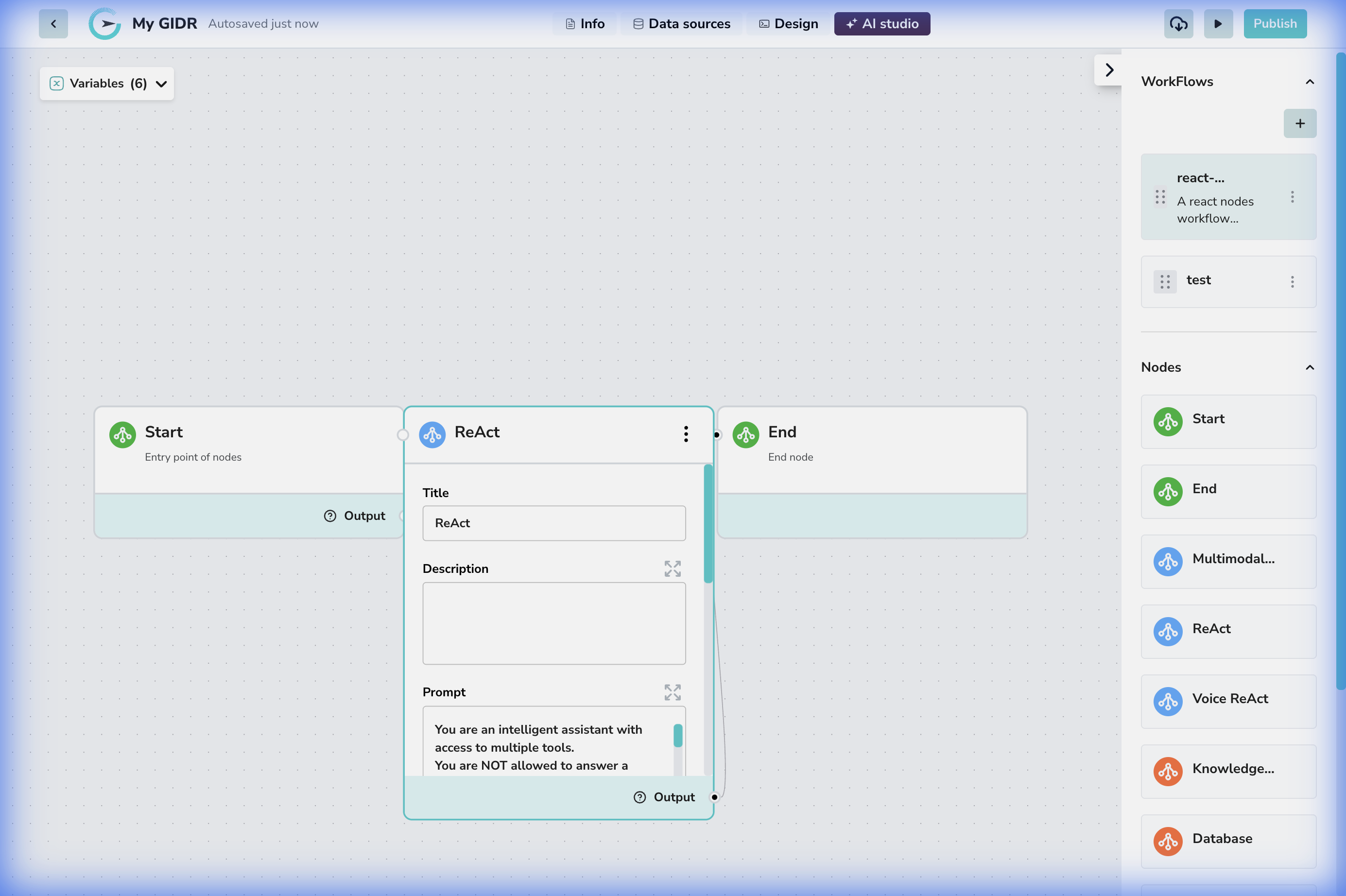 1. **Connection**: The node sits between a 'Start' triggering event and an 'End' output.
2. **Tool Access**: Crucially, this node can be configured with access to various tools (Search, Database, API, etc.) which it can call during its execution loop.
## Configuration Details
1. **Connection**: The node sits between a 'Start' triggering event and an 'End' output.
2. **Tool Access**: Crucially, this node can be configured with access to various tools (Search, Database, API, etc.) which it can call during its execution loop.
## Configuration Details
 ### Core Settings
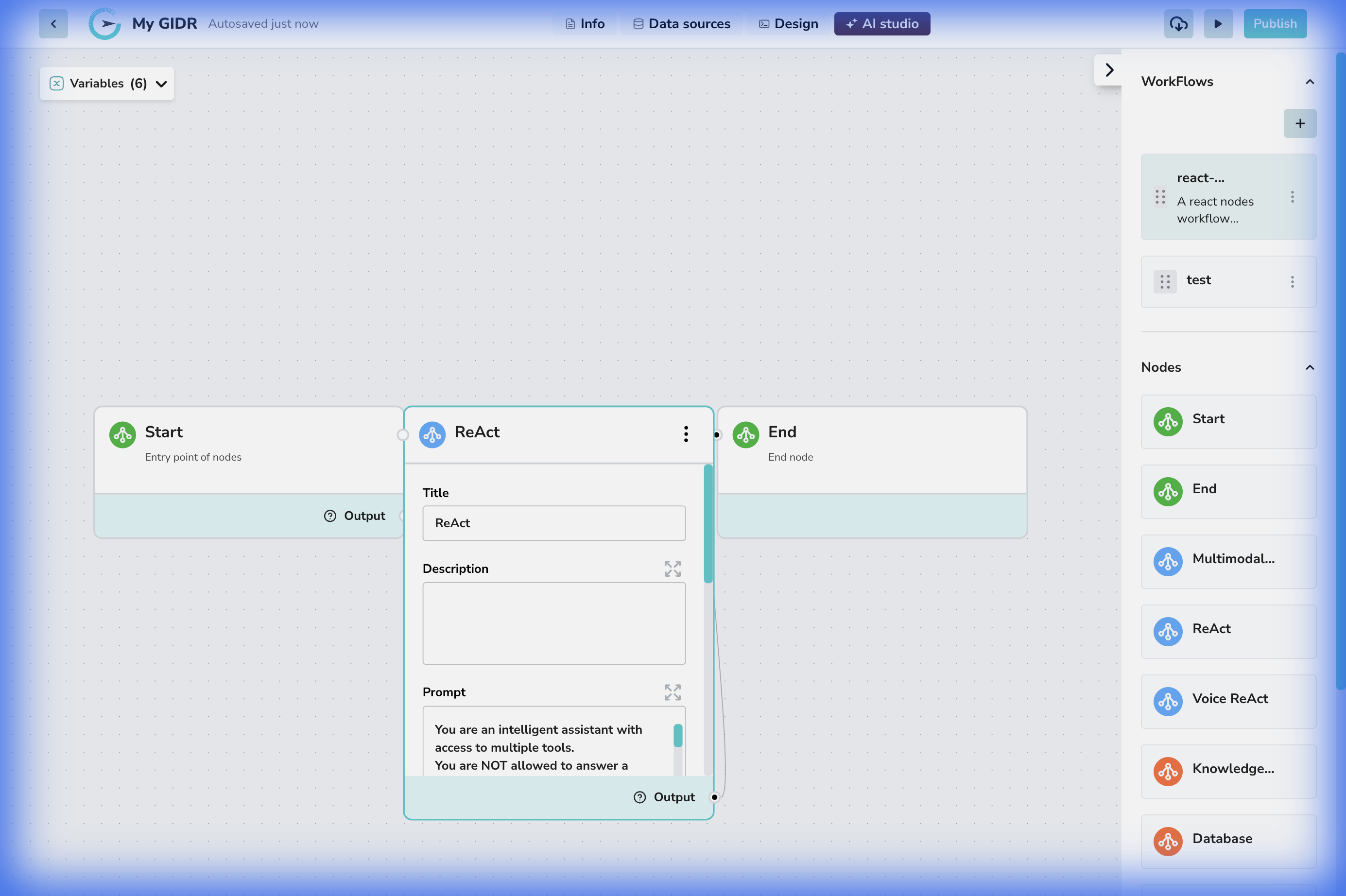
* **Title**: A descriptive name for the node (e.g., "Customer Service Agent").
* **Description**: Documentation of the node's purpose.
* **Prompt**: The system instruction that guides the agent's behavior and personality (e.g., "You are a helpful assistant...").
***
### Core Settings
* **Title**: A descriptive name for the node (e.g., "Customer Service Agent").
* **Description**: Documentation of the node's purpose.
* **Prompt**: The system instruction that guides the agent's behavior and personality (e.g., "You are a helpful assistant...").
***
 ### Model & Reasoning
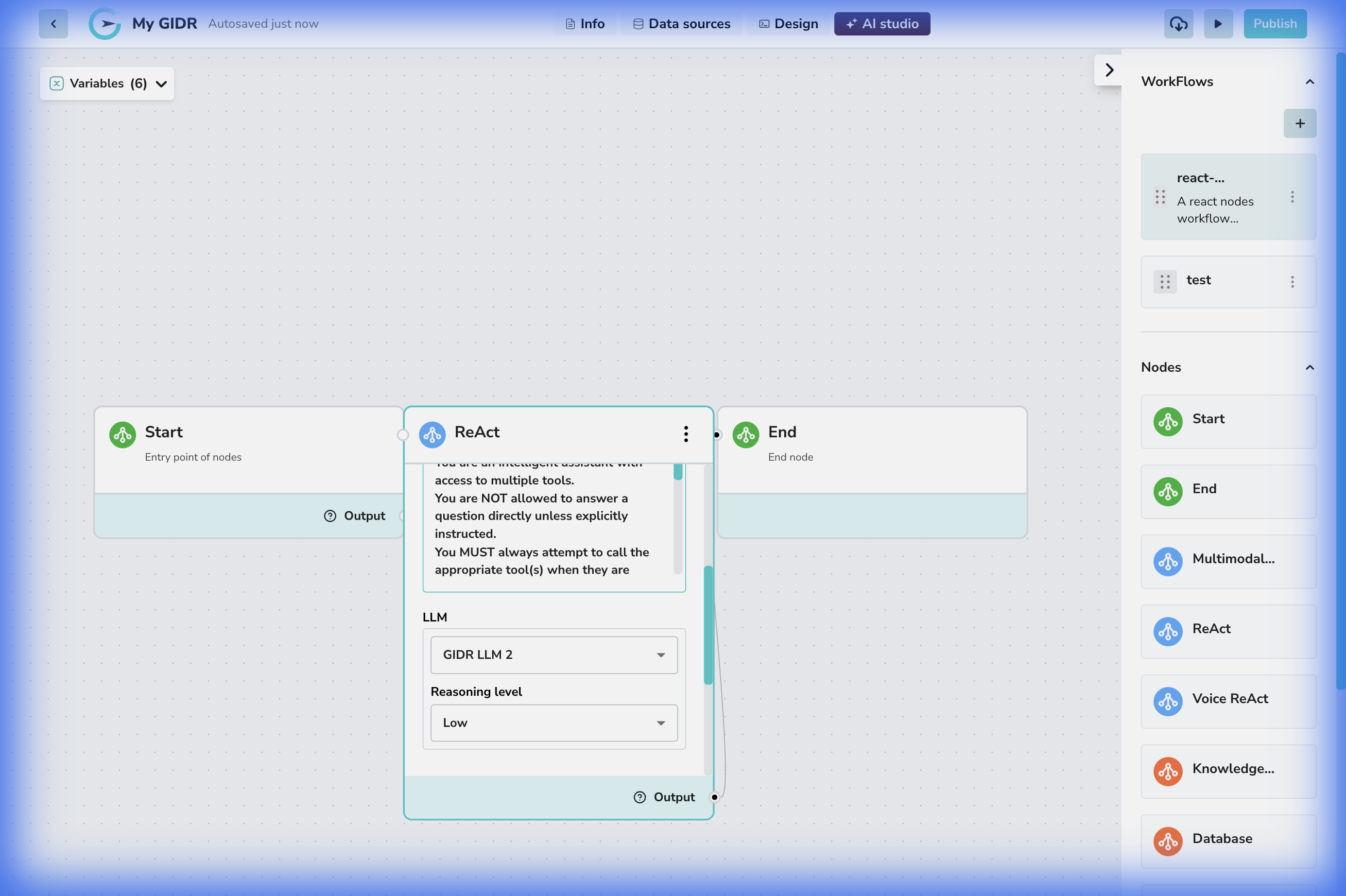
* **LLM**: The language model driving the reasoning (e.g., GIDR LLM 2).
* **Reasoning level**: The depth of thought process to apply.
* **Max iterations**: (If applicable to your version) Controls the maximum number of thought-action loops the agent can perform.
***
### Model & Reasoning
* **LLM**: The language model driving the reasoning (e.g., GIDR LLM 2).
* **Reasoning level**: The depth of thought process to apply.
* **Max iterations**: (If applicable to your version) Controls the maximum number of thought-action loops the agent can perform.
***
 ### Tools & Advanced Options
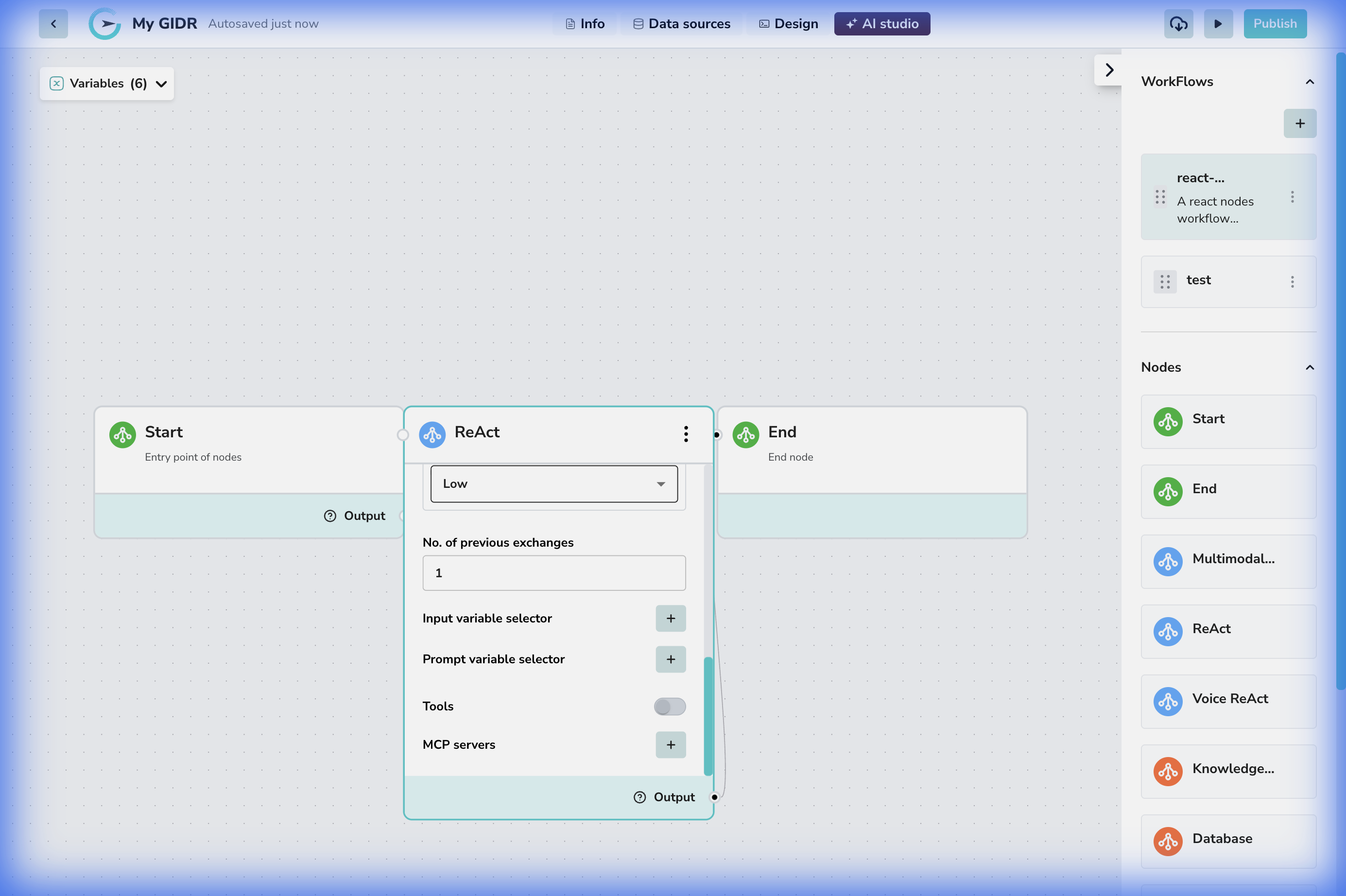
* **No. of previous exchanges**: Context window measurement.
* **Tools**: A toggle or selector to enable specific tools this agent can use (e.g., Web Search, Calculator).
* **MCP Servers**: Connect to Model Context Protocol servers to extend capabilities.
* Users must configure MCP Servers by providing:
* **Server URL**
* **Auth Header**
* **Auth Value**
* MCP Servers can be configured as:
* **Internal (GIDR) MCP Server**
* **Auth Header** must be `x-api-key`
* **Auth Value** must be the **GIDR API Key**
* **External MCP Server**
* **Auth Header** and **Auth Value** are Optional and should be provided according to the external server’s authentication requirements.
* **Variable Selectors**:
* **Input**: Bind data variables to the agent's context.
* **Prompt**: Inject dynamic values into the system prompt.
### Tools & Advanced Options
* **No. of previous exchanges**: Context window measurement.
* **Tools**: A toggle or selector to enable specific tools this agent can use (e.g., Web Search, Calculator).
* **MCP Servers**: Connect to Model Context Protocol servers to extend capabilities.
* Users must configure MCP Servers by providing:
* **Server URL**
* **Auth Header**
* **Auth Value**
* MCP Servers can be configured as:
* **Internal (GIDR) MCP Server**
* **Auth Header** must be `x-api-key`
* **Auth Value** must be the **GIDR API Key**
* **External MCP Server**
* **Auth Header** and **Auth Value** are Optional and should be provided according to the external server’s authentication requirements.
* **Variable Selectors**:
* **Input**: Bind data variables to the agent's context.
* **Prompt**: Inject dynamic values into the system prompt.