> ## Documentation Index
> Fetch the complete documentation index at: https://docs.gidr.ai/llms.txt
> Use this file to discover all available pages before exploring further.
# Start & End Nodes
> The entry and exit points of every workflow.
Every workflow in AI Studio must begin with a **Start** node and finish with an **End** node. These nodes define the inputs your agent accepts and the final output it returns.
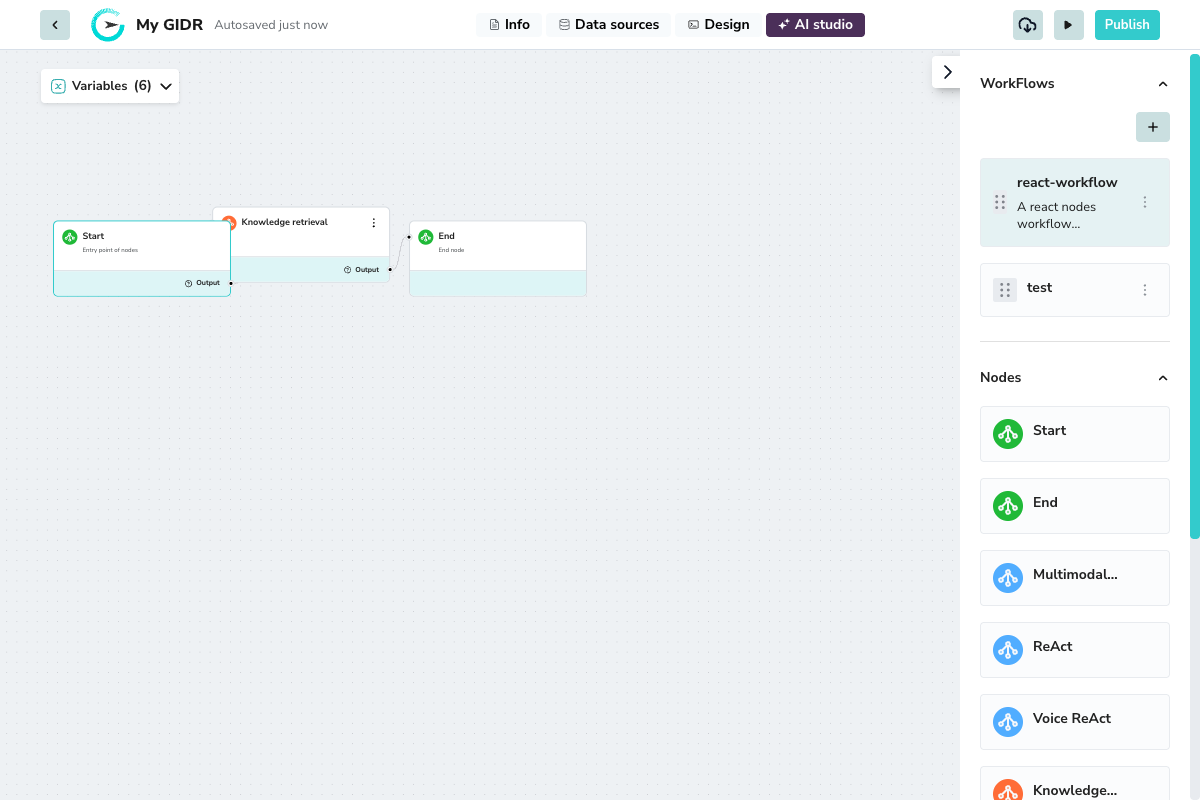 ## Start Node
The **Start** node is the entry point where workflow execution begins. It provides access to system variables and passes them to subsequent nodes.
### Key Features
* **Title**: "Start" - Entry point of nodes
* **Output handle**: Connects to the first processing node in your workflow
* **System Variables**: Automatically provides access to:
* `sys.query` - The user's input query
* `sys.user_id` - The user identifier
* `sys.files` - Any uploaded files
* Custom variables defined in your GIDR configuration
## End Node
The **End** node is the exit point that collects the final output from your workflow and returns it to the user or calling system.
### Key Features
* **Title**: "End" - End node
* **Input handle**: Receives the final processed data from upstream nodes
* **Output**: Returns the workflow result to the user interface or API caller
Every workflow must have exactly one Start node and at least one End node. These nodes don't have configuration panels - they serve as simple entry and exit points for your workflow logic.
## Start Node
The **Start** node is the entry point where workflow execution begins. It provides access to system variables and passes them to subsequent nodes.
### Key Features
* **Title**: "Start" - Entry point of nodes
* **Output handle**: Connects to the first processing node in your workflow
* **System Variables**: Automatically provides access to:
* `sys.query` - The user's input query
* `sys.user_id` - The user identifier
* `sys.files` - Any uploaded files
* Custom variables defined in your GIDR configuration
## End Node
The **End** node is the exit point that collects the final output from your workflow and returns it to the user or calling system.
### Key Features
* **Title**: "End" - End node
* **Input handle**: Receives the final processed data from upstream nodes
* **Output**: Returns the workflow result to the user interface or API caller
Every workflow must have exactly one Start node and at least one End node. These nodes don't have configuration panels - they serve as simple entry and exit points for your workflow logic.