> ## Documentation Index
> Fetch the complete documentation index at: https://docs.gidr.ai/llms.txt
> Use this file to discover all available pages before exploring further.
# Voice ReAct Node
> A specialized ReAct agent optimized for real-time voice interactions.
The **Voice ReAct Node** extends the capabilities of the standard ReAct node by adding real-time speech processing. It is designed to function as a conversational agent that can listen, think, act, and speak back to the user.
## Typical Usage
This node is the centerpiece of voice-enabled workflows, often used for customer service bots, interactive assistants, or accessibility tools.
### Example Configuration
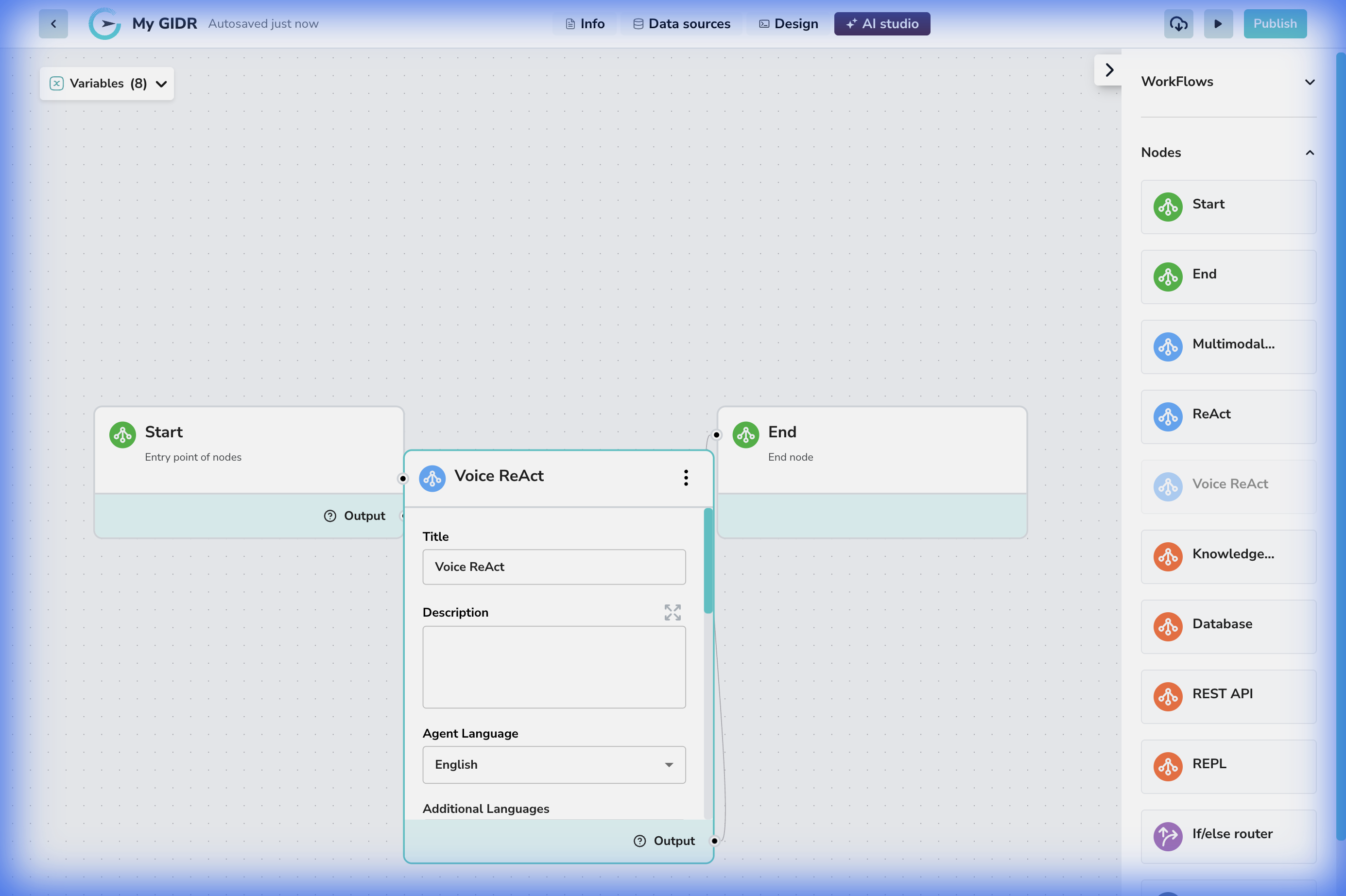 1. **Connection**: Connected linearly between a Start and End node.
2. **Voice Interaction**: The node handles the complexity of speech-to-text (STT) and text-to-speech (TTS) automatically.
## Configuration Details
1. **Connection**: Connected linearly between a Start and End node.
2. **Voice Interaction**: The node handles the complexity of speech-to-text (STT) and text-to-speech (TTS) automatically.
## Configuration Details
 ### Core Settings
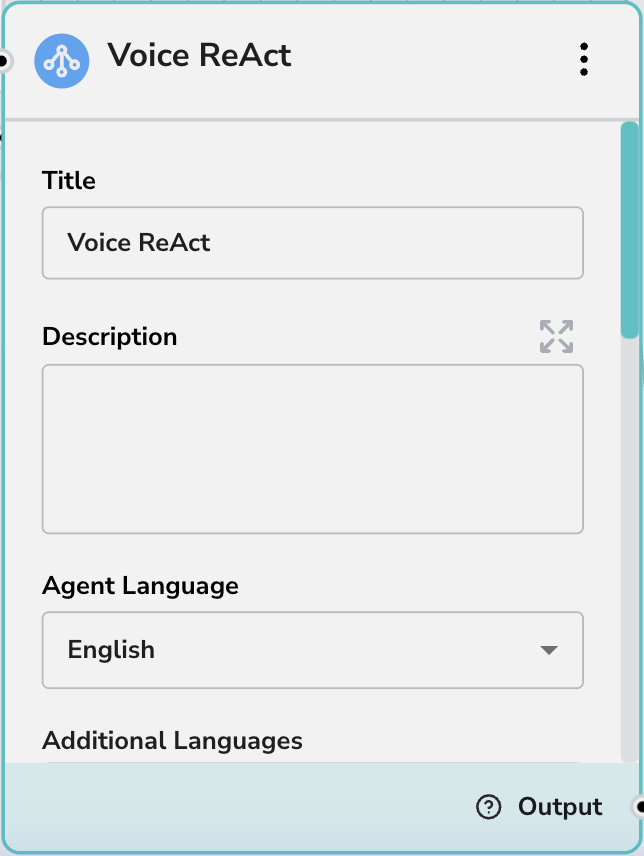
* **Title**: Give your voice agent a persona-based name (e.g., "Support Voice Bot").
* **Description**: Internal notes on the agent's role.
* **Agent Language**: The primary language the agent will understand and speak (e.g., "English").
***
### Core Settings
* **Title**: Give your voice agent a persona-based name (e.g., "Support Voice Bot").
* **Description**: Internal notes on the agent's role.
* **Agent Language**: The primary language the agent will understand and speak (e.g., "English").
***
 ### Voice & Personality
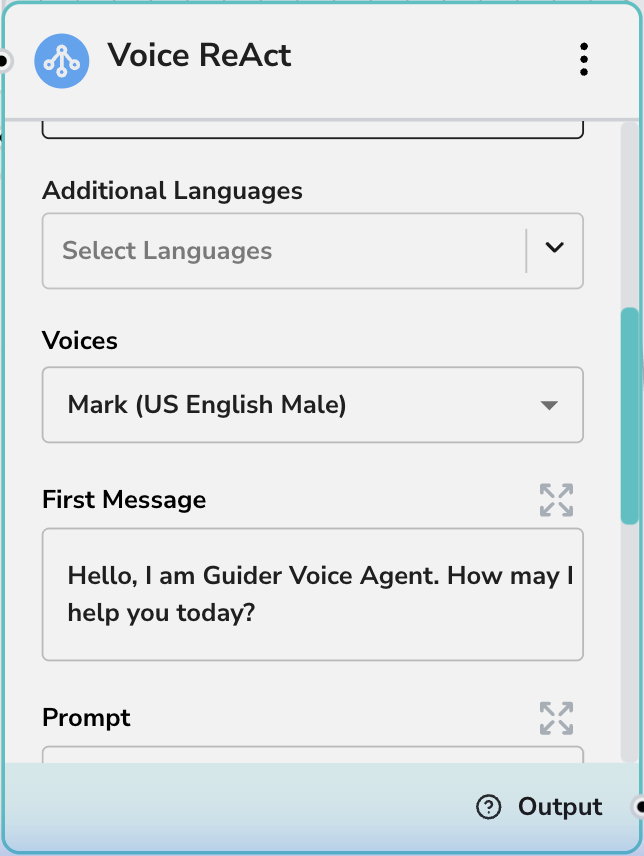
* **Additional Languages**: Select other languages the agent should be able to process if supporting a multilingual user base.
* **Voices**: Choose the specific voice model (e.g., "Gemini - Mark (US English Male)") that best fits your brand or use case.
* **First Message**: The opening line the agent will speak when the session starts (e.g., "Hello, I am GIDR Voice Agent. How may I help you today?").
***
### Voice & Personality
* **Additional Languages**: Select other languages the agent should be able to process if supporting a multilingual user base.
* **Voices**: Choose the specific voice model (e.g., "Gemini - Mark (US English Male)") that best fits your brand or use case.
* **First Message**: The opening line the agent will speak when the session starts (e.g., "Hello, I am GIDR Voice Agent. How may I help you today?").
***
 ### Prompts & Tools
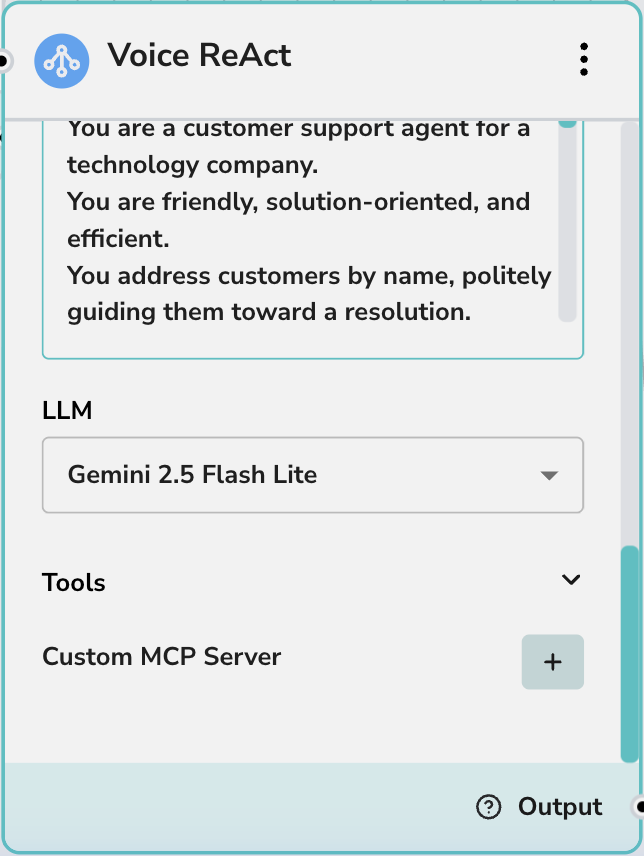
* **Prompt**: The system instruction defining the agent's behavior, knowledge boundaries, and personality traits.
* **LLM**: The underlying model powering the conversation (e.g., Gemini 2.5 Flash Lite).
* **Tools**: Enable specific tools this voice agent can call while talking to the user.
* **Custom MCP Server**: Extend the agent's capabilities with custom Model Context Protocol servers.
### Prompts & Tools
* **Prompt**: The system instruction defining the agent's behavior, knowledge boundaries, and personality traits.
* **LLM**: The underlying model powering the conversation (e.g., Gemini 2.5 Flash Lite).
* **Tools**: Enable specific tools this voice agent can call while talking to the user.
* **Custom MCP Server**: Extend the agent's capabilities with custom Model Context Protocol servers.