> ## Documentation Index
> Fetch the complete documentation index at: https://docs.gidr.ai/llms.txt
> Use this file to discover all available pages before exploring further.
# Ingestion Settings
> Configure how data is processed and ingested into your GIDR.
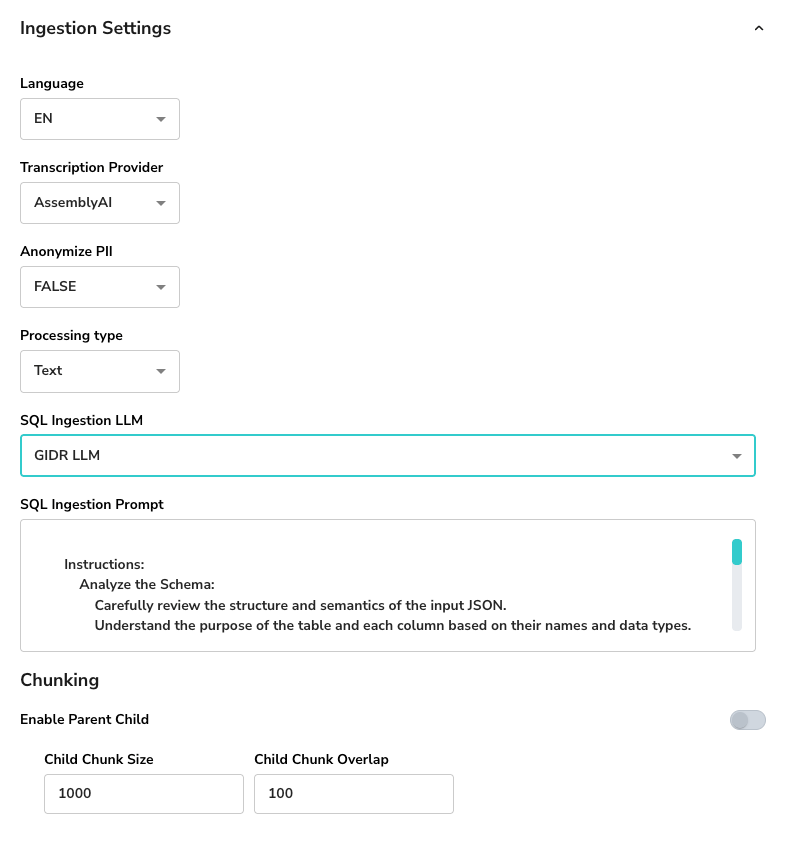
The **Ingestion Settings** allow you to customize how your GIDR processes incoming data, including language, privacy, and chunking strategies.
 ## General Settings
* **Language**: Select the primary language for processing (e.g., **EN** for English).
* **Transcription Provider**: Choose the service used for transcribing audio/video content (e.g., **AssemblyAI**).
* **Anonymize PII**: specific whether Personally Identifiable Information (PII) should be redacted (e.g., **FALSE**) during ingestion time.
## Document Processing Type
You can choose how documents are parsed and embedded.
## General Settings
* **Language**: Select the primary language for processing (e.g., **EN** for English).
* **Transcription Provider**: Choose the service used for transcribing audio/video content (e.g., **AssemblyAI**).
* **Anonymize PII**: specific whether Personally Identifiable Information (PII) should be redacted (e.g., **FALSE**) during ingestion time.
## Document Processing Type
You can choose how documents are parsed and embedded.
 ### Text Processing
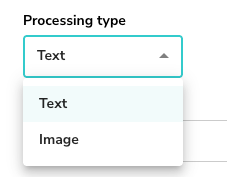
Standard processing for text-based documents.
* **Processing type**: Select **Text**.
### Image Processing
Advanced processing for documents where visual layout is critical (e.g., charts, diagrams).
### Text Processing
Standard processing for text-based documents.
* **Processing type**: Select **Text**.
### Image Processing
Advanced processing for documents where visual layout is critical (e.g., charts, diagrams).
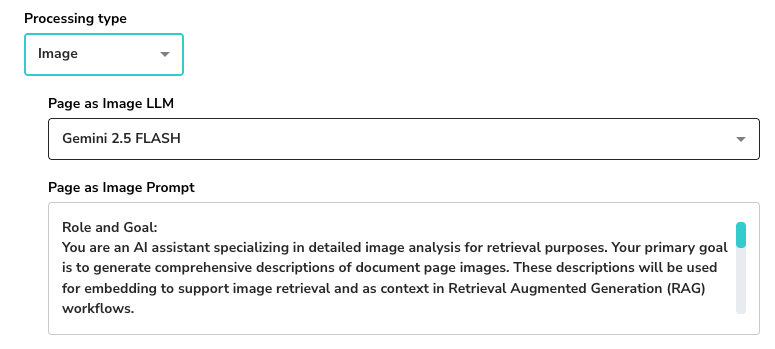 * **Processing type**: Select **Image**.
* **Page as Image LLM**: Choose a LLM supporting vision (e.g., **Gemini 2.5 FLASH**) capable of analyzing page images.
* **Page as Image Prompt**: Define the role and goal for the LLM to generate comprehensive descriptions for retrieval.
## SQL Ingestion
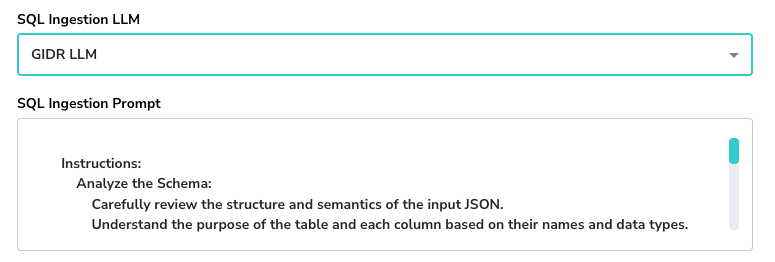
* **SQL Ingestion LLM**: (Optional) Select a specific LLM model for handling SQL-related ingestion if applicable.
* **SQL Ingestion Prompt**: Customize instructions for analyzing schema structure and semantics.
* **Processing type**: Select **Image**.
* **Page as Image LLM**: Choose a LLM supporting vision (e.g., **Gemini 2.5 FLASH**) capable of analyzing page images.
* **Page as Image Prompt**: Define the role and goal for the LLM to generate comprehensive descriptions for retrieval.
## SQL Ingestion
* **SQL Ingestion LLM**: (Optional) Select a specific LLM model for handling SQL-related ingestion if applicable.
* **SQL Ingestion Prompt**: Customize instructions for analyzing schema structure and semantics.
 ## Chunking Strategy
Configure how long documents are split into smaller segments for retrieval.
* **Enable Parent Child**: Toggle to use parent-child chunking for better context retention.
* **Child Chunk Size**: The number of characters/tokens per child chunk (e.g., **1000**).
* **Child Chunk Overlap**: The overlap between consecutive chunks to maintain continuity (e.g., **100**).
## Chunking Strategy
Configure how long documents are split into smaller segments for retrieval.
* **Enable Parent Child**: Toggle to use parent-child chunking for better context retention.
* **Child Chunk Size**: The number of characters/tokens per child chunk (e.g., **1000**).
* **Child Chunk Overlap**: The overlap between consecutive chunks to maintain continuity (e.g., **100**).