> ## Documentation Index
> Fetch the complete documentation index at: https://docs.gidr.ai/llms.txt
> Use this file to discover all available pages before exploring further.
# Analytics
> Monitor activity, usage, and storage for your team.
The **Analytics** section provides insights into how your team uses GIDR resources. It is divided into three main areas: **Storage**, **Usage**, and **Activity**.
## Storage
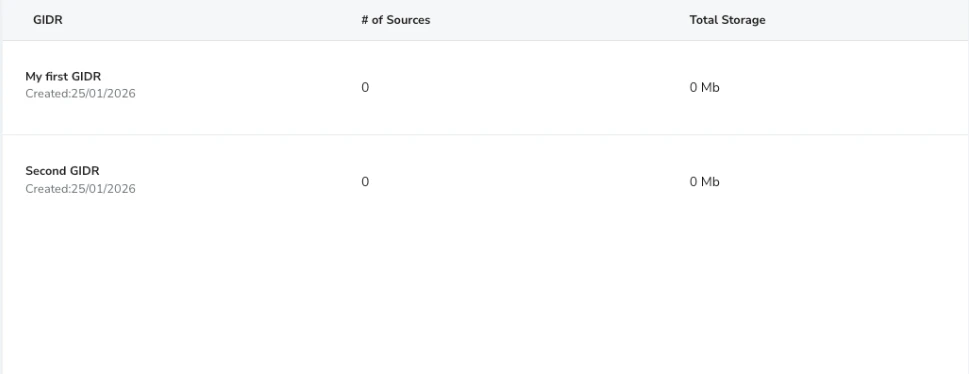
Monitor the storage usage of your GIDRs details.
* **# of Sources**: The number of data sources connected to each GIDR.
* **Total Storage**: The amount of storage consumed by the GIDR's data.
 ## Usage
Track the usage and token consumption for your team.
### Definitions
**Session**
A session is a continuous Gidget conversation or execution context. In the UI, a session starts when a launched Gidget receives the user's first input. In the API, a session is defined by the client provided `session_id`, and all requests using the same `session_id` belong to the same session.
**Interaction**
An interaction is one user level Gidget invocation that produces a response. For Chat Gidgets, each user question counts as one interaction. For Flow Gidgets, each full flow execution counts as one interaction. Internal LLM calls, classifier steps, multimodal processing, and ReAct reasoning steps do not count as separate interactions.
**Clarification**
* Interaction counting is based on the user visible invocation, not the number of internal model calls.
* A single chat question remains one interaction even if it triggers multiple internal LLM, classifier, rewrite, or image related steps.
* A single flow run remains one interaction even if it contains multiple Query LLM or multimodal nodes.
* Token usage is tracked separately from interaction count.
* For API usage, session tracking is controlled by the client through `session_id`.
* Voice Flow Gidget behavior and some lower level usage details still need final confirmation.
* Expanded service usage telemetry for tracking internal LLM activity in more detail will be considered for a future release.
### Sessions
The **Sessions** table displays the number of sessions per GIDR, including a total at the end and pagination support.
## Usage
Track the usage and token consumption for your team.
### Definitions
**Session**
A session is a continuous Gidget conversation or execution context. In the UI, a session starts when a launched Gidget receives the user's first input. In the API, a session is defined by the client provided `session_id`, and all requests using the same `session_id` belong to the same session.
**Interaction**
An interaction is one user level Gidget invocation that produces a response. For Chat Gidgets, each user question counts as one interaction. For Flow Gidgets, each full flow execution counts as one interaction. Internal LLM calls, classifier steps, multimodal processing, and ReAct reasoning steps do not count as separate interactions.
**Clarification**
* Interaction counting is based on the user visible invocation, not the number of internal model calls.
* A single chat question remains one interaction even if it triggers multiple internal LLM, classifier, rewrite, or image related steps.
* A single flow run remains one interaction even if it contains multiple Query LLM or multimodal nodes.
* Token usage is tracked separately from interaction count.
* For API usage, session tracking is controlled by the client through `session_id`.
* Voice Flow Gidget behavior and some lower level usage details still need final confirmation.
* Expanded service usage telemetry for tracking internal LLM activity in more detail will be considered for a future release.
### Sessions
The **Sessions** table displays the number of sessions per GIDR, including a total at the end and pagination support.
 | Column | Description |
| :---------------- | :----------------------------------- |
| **GIDR Name** | The name of the GIDR. |
| **# of Sessions** | The number of sessions for the GIDR. |
### Interactions
The **Interactions** table displays the number of interactions per GIDR, including a total at the end and pagination support.
| Column | Description |
| :---------------- | :----------------------------------- |
| **GIDR Name** | The name of the GIDR. |
| **# of Sessions** | The number of sessions for the GIDR. |
### Interactions
The **Interactions** table displays the number of interactions per GIDR, including a total at the end and pagination support.
 | Column | Description |
| :-------------------- | :--------------------------------------- |
| **GIDR Name** | The name of the GIDR. |
| **# of Interactions** | The number of interactions for the GIDR. |
### Tokens
Track the token consumption for your GIDR's AI models.
* **Input Tokens**: Tokens used in prompts sent to the LLM.
* **Output Tokens**: Tokens generated by the LLM in response.
* **Duration**: Time taken for operations.
| Column | Description |
| :-------------------- | :--------------------------------------- |
| **GIDR Name** | The name of the GIDR. |
| **# of Interactions** | The number of interactions for the GIDR. |
### Tokens
Track the token consumption for your GIDR's AI models.
* **Input Tokens**: Tokens used in prompts sent to the LLM.
* **Output Tokens**: Tokens generated by the LLM in response.
* **Duration**: Time taken for operations.
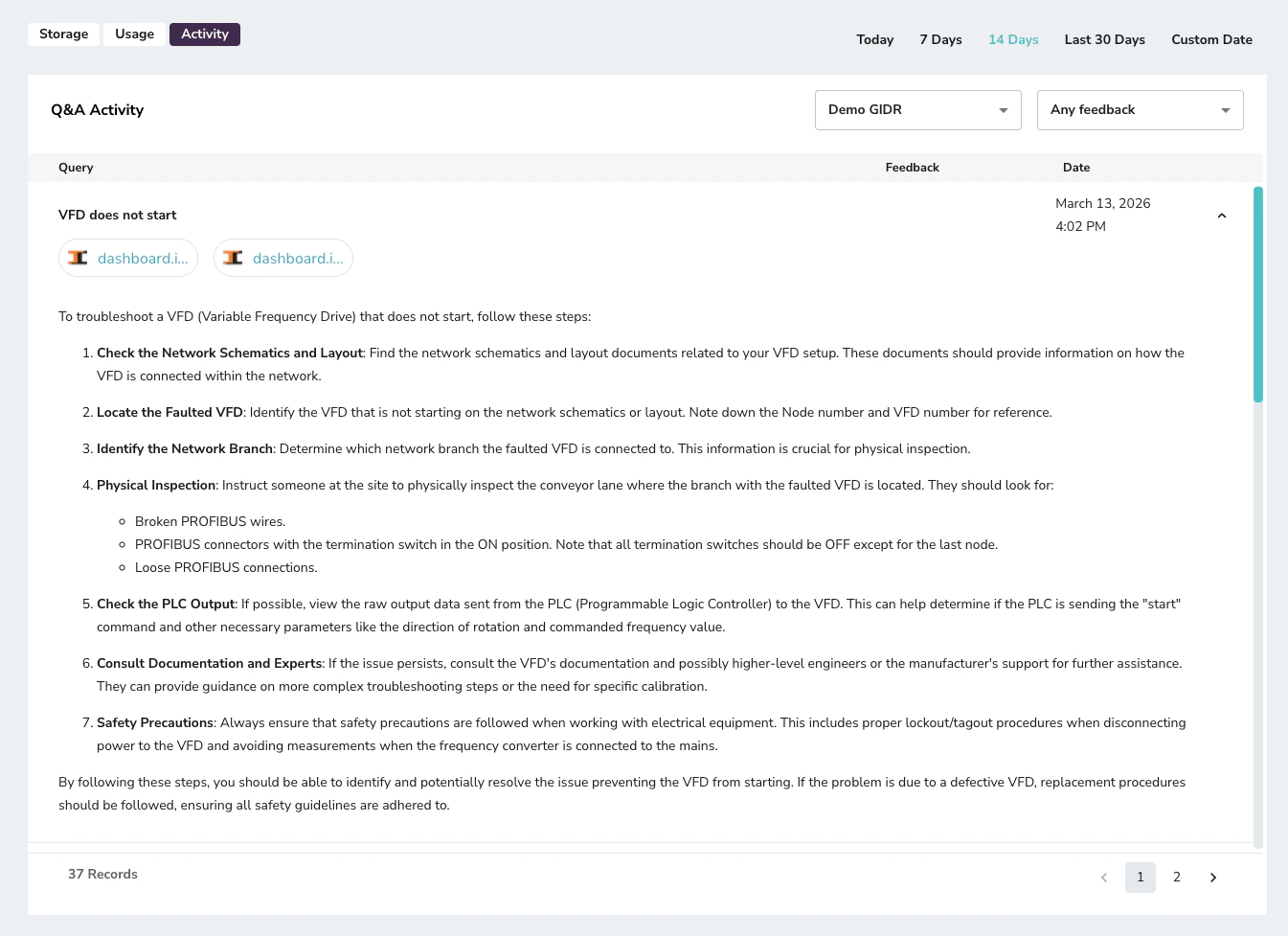
 ## Activity (Q\&A Activity)
Review the Q\&A activity and feedback for your GIDRs to understand user interactions and improve performance.
* **Query**: The question asked by the user.
* **Feedback**: Any user feedback associated with the response.
* **Date**: When the interaction occurred.
## Activity (Q\&A Activity)
Review the Q\&A activity and feedback for your GIDRs to understand user interactions and improve performance.
* **Query**: The question asked by the user.
* **Feedback**: Any user feedback associated with the response.
* **Date**: When the interaction occurred.