> ## Documentation Index
> Fetch the complete documentation index at: https://docs.gidr.ai/llms.txt
> Use this file to discover all available pages before exploring further.
# Manage Team
> Create and manage teams within your organization.
## Create Team
1. Navigate to the **Teams** section in the sidebar.
2. Click **+ Add team** at the bottom of the team list.
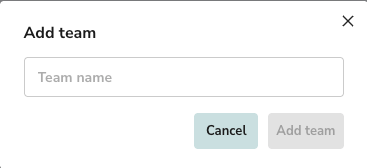
 3. **Team name**: Enter a unique name for your new team.
4. Click **Add team** to confirm.
3. **Team name**: Enter a unique name for your new team.
4. Click **Add team** to confirm.
 ## Edit Team
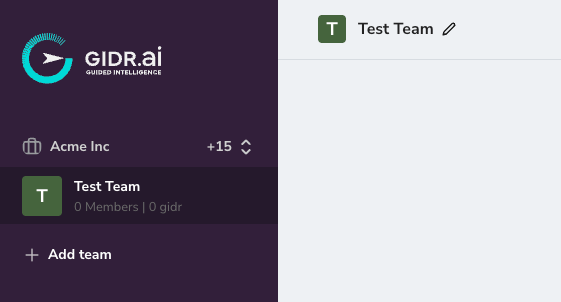
1. **Edit team name**: You can edit the team name by clicking the pencil icon next to the team title.
## Delete Team
> \[!WARNING] Deleting a team is irreversible. All GIDRs and associated data within the team will be permanently lost.
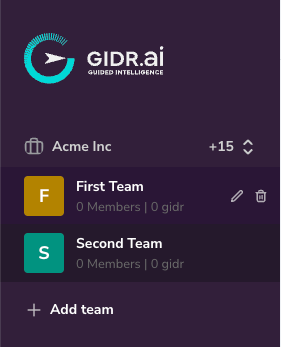
1. Locate the team you wish to delete in the sidebar.
2. Click the **trash icon** associated with the team name.
## Edit Team
1. **Edit team name**: You can edit the team name by clicking the pencil icon next to the team title.
## Delete Team
> \[!WARNING] Deleting a team is irreversible. All GIDRs and associated data within the team will be permanently lost.
1. Locate the team you wish to delete in the sidebar.
2. Click the **trash icon** associated with the team name.
 3. A confirmation dialog will appear.
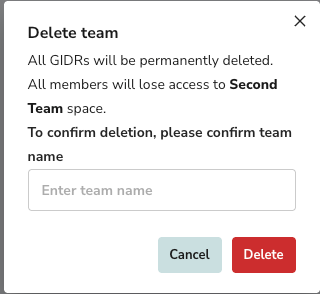
4. Type the **team name** exactly as shown to confirm deletion.
5. Click **Delete**.
3. A confirmation dialog will appear.
4. Type the **team name** exactly as shown to confirm deletion.
5. Click **Delete**.