

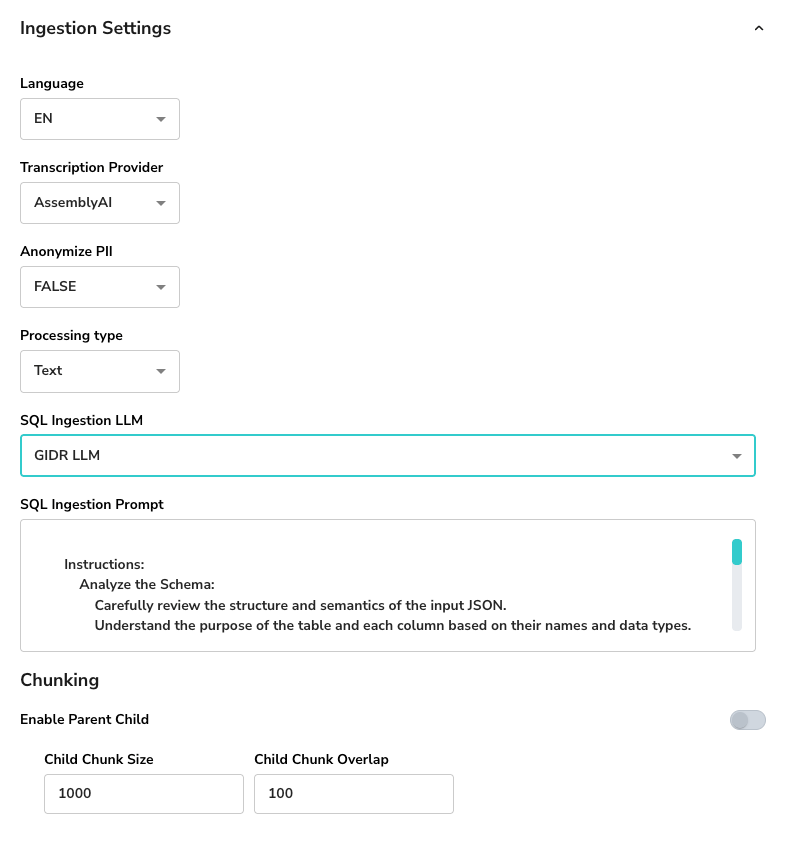
General Settings
- Language: Select the primary language for processing (e.g., EN for English).
- Transcription Provider: Choose the service used for transcribing audio/video content (e.g., AssemblyAI).
- Anonymize PII: specific whether Personally Identifiable Information (PII) should be redacted (e.g., FALSE) during ingestion time.
Document Processing Type
You can choose how documents are parsed and embedded.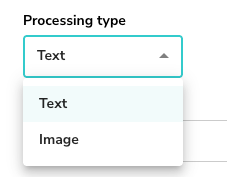
Text Processing
Standard processing for text-based documents.- Processing type: Select Text.
Image Processing
Advanced processing for documents where visual layout is critical (e.g., charts, diagrams).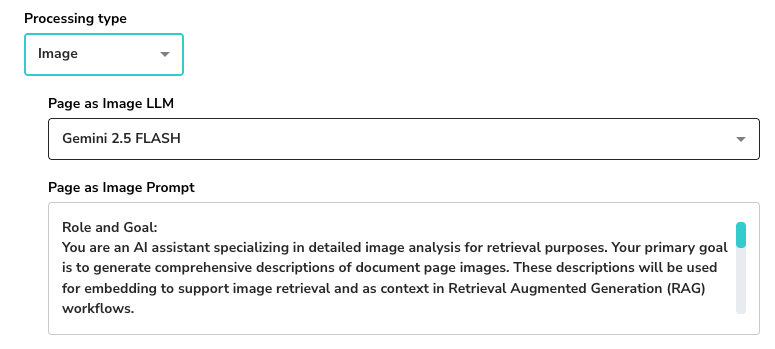
- Processing type: Select Image.
- Page as Image LLM: Choose a LLM supporting vision (e.g., Gemini 2.5 FLASH) capable of analyzing page images.
- Page as Image Prompt: Define the role and goal for the LLM to generate comprehensive descriptions for retrieval.
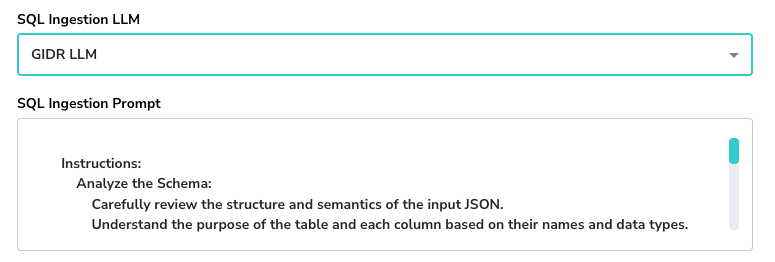
SQL Ingestion
- SQL Ingestion LLM: (Optional) Select a specific LLM model for handling SQL-related ingestion if applicable.
- SQL Ingestion Prompt: Customize instructions for analyzing schema structure and semantics.
Chunking Strategy
Configure how long documents are split into smaller segments for retrieval.- Enable Parent Child: Toggle to use parent-child chunking for better context retention.
- Child Chunk Size: The number of characters/tokens per child chunk (e.g., 1000).
- Child Chunk Overlap: The overlap between consecutive chunks to maintain continuity (e.g., 100).