

Connect Data source
- Select Data Sources > + Add.
- Choose Files as the source type.
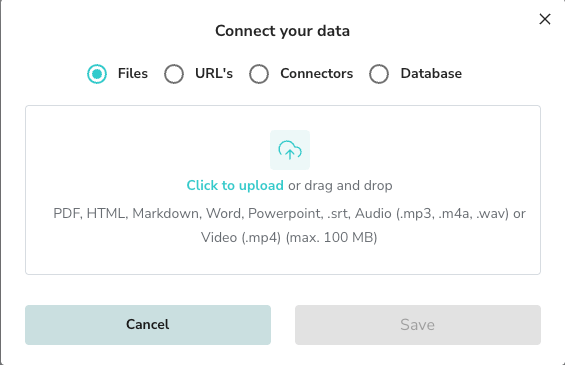
- Drag and drop your files or click to upload. Supported formats include PDF, HTML, Markdown, Word, PowerPoint, Audio, and Video (max 100 MB).
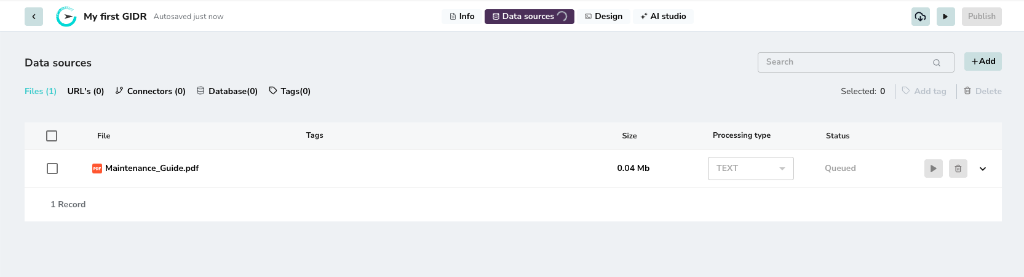
Managing Files
Once uploaded, your files will appear in the list view.Processing Status
Initially, files may appear as Queued or Processing.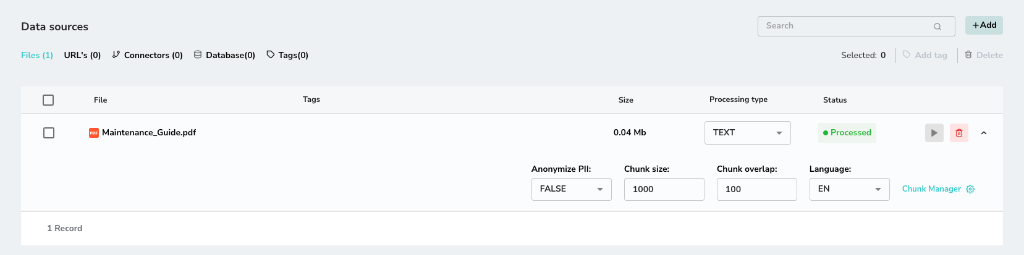
Reprocessing Files
You can modify ingestion parameters for any file and re-process it.- Change editable parameters such as Processing type (e.g., from Text to Image).
- Adjust other settings like Chunk size, Chunk overlap, or Language as needed.
- Click the Play button (triangle icon) to trigger re-ingestion with the new settings.

The available parameters and their effects are detailed in the Ingestion Settings page.
Chunk Manager
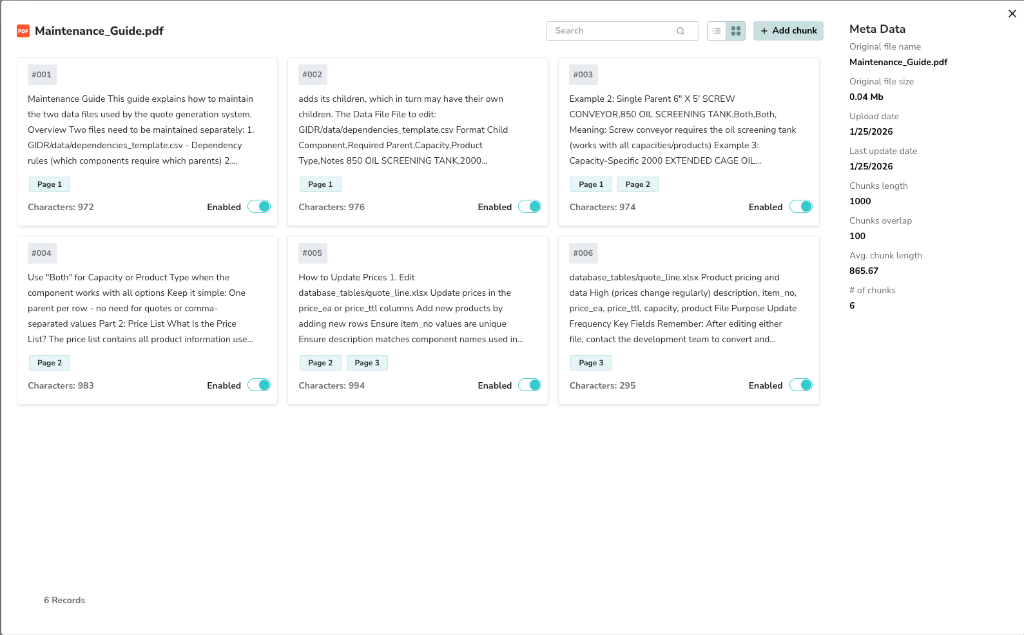
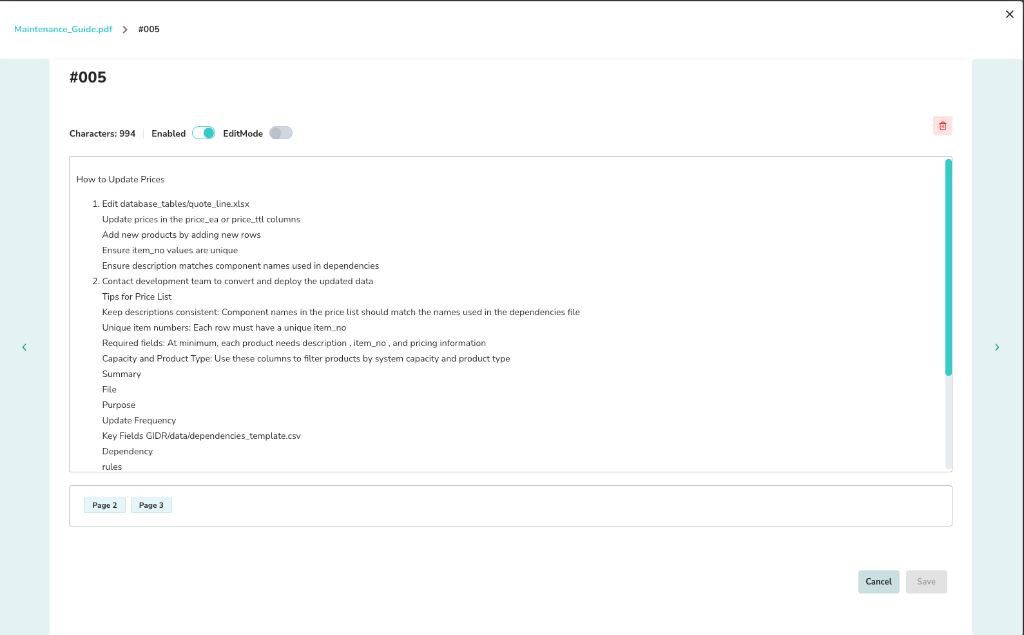
For processed files, you can view and edit the generated chunks to fine-tune retrieval accuracy.- Click the Chunk Manager link (or gear icon) next to a processed file.
- Review individual chunks, their enabled status, and metadata.
Editing Chunks
You can toggle a chunk’s Enabled status to include or exclude it from retrieval. You can also view metadata such as character count and source file details.Image Processing View
When a file is processed using the Image processing type, the system uses a vision model to analyze the layout and content.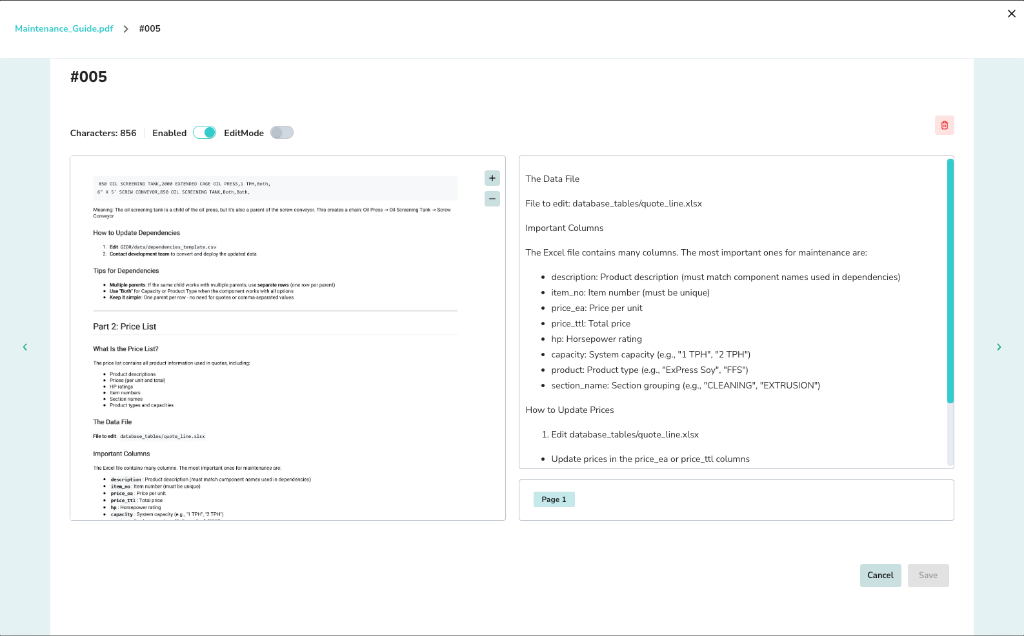
- Left panel: Shows the original page image.
- Right panel: Displays the generated description and extracted data.