Managing API Keys
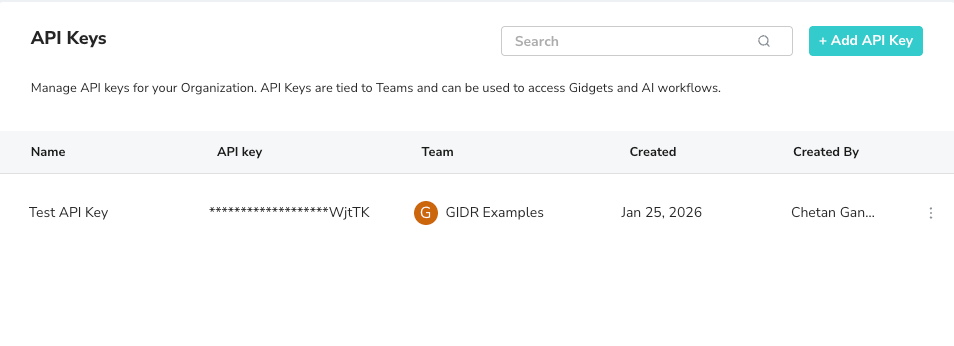
To create and manage your API keys, navigate to the API Keys tab in Organization Settings.Creating a New API Key
- Click + Add API Key.
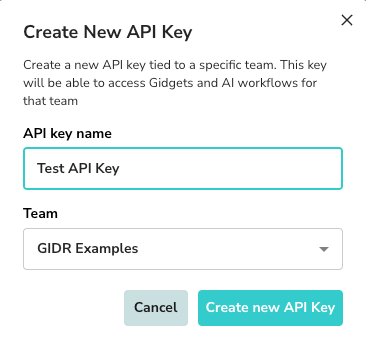
- API key name: Enter a descriptive name for the key.
- Team: Select the team this key will be associated with.
- Click Create new API Key.
Success and Security
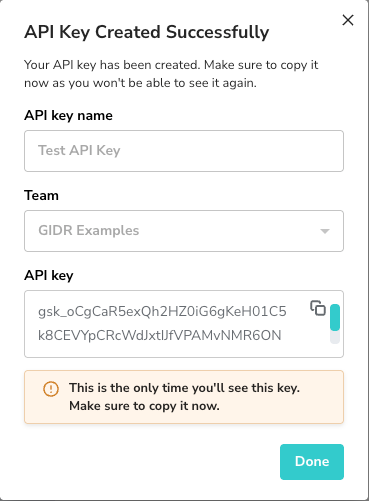
Once created, the API key will be displayed only once.[!WARNING] Copy the key immediately and store it securely. You will not be able to see the full key again.
API Key List
You can view all active keys, their associated teams, and creation details in the list view. To revoke or remove a key, use the menu options next to the key entry.