

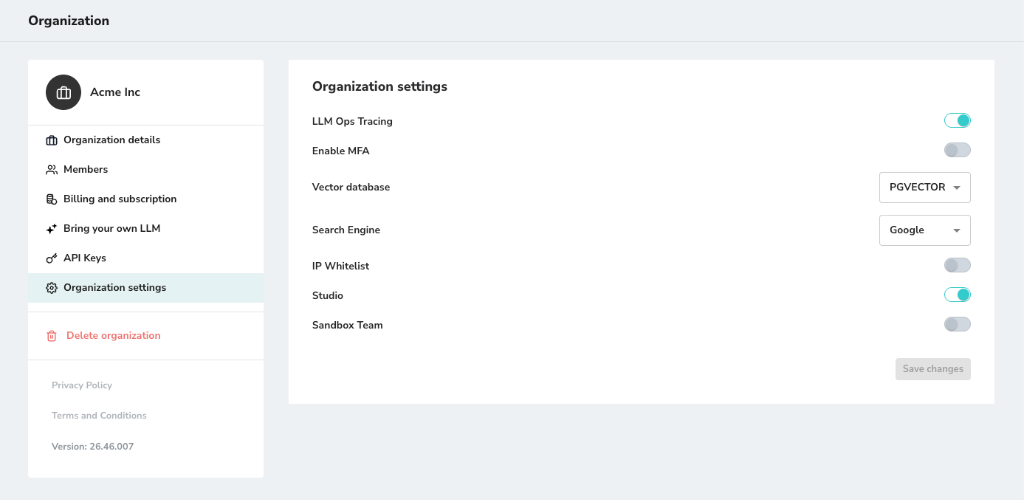
LLM Ops Tracing
- Controls tracing and telemetry collection for LLM executions, including latency, token usage, and tool invocations.
- Tracing is enabled by default in the staging environment (preview.gidr.ai) to support troubleshooting and validation.
- Tracing is disabled by default in the production environment (app.gidr.ai). Production tracing can be enabled temporarily upon request in coordination with the GIDR DevOps team.
Enable MFA
- Enforce Multi-Factor Authentication for all organization members.
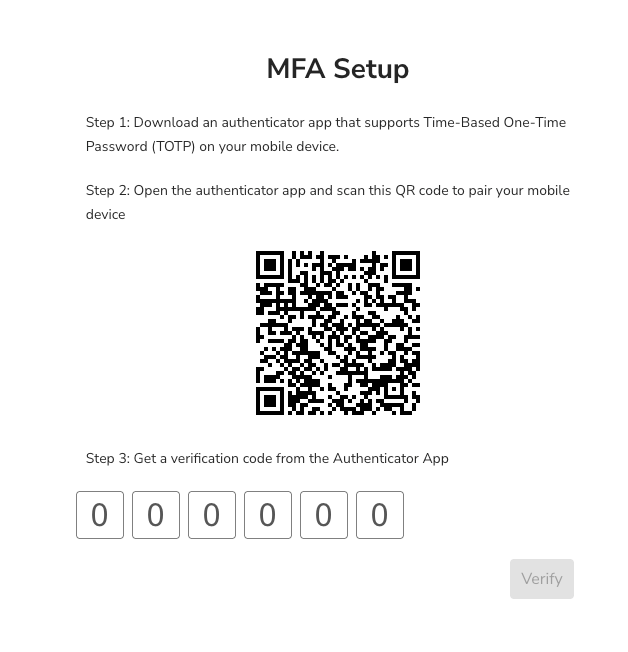
- Once this setting is enabled, all members will be required to configure MFA on their next login or when joining the organization.
- Members must use an authenticator app (e.g., Google Authenticator, Authy) to scan the provided QR code and verify their identity.
Vector Database
- Choose your preferred vector database provider (e.g., PGVECTOR).
Search Engine
- Select the search engine to be used for retrieval tasks (e.g., Google).
IP Whitelist
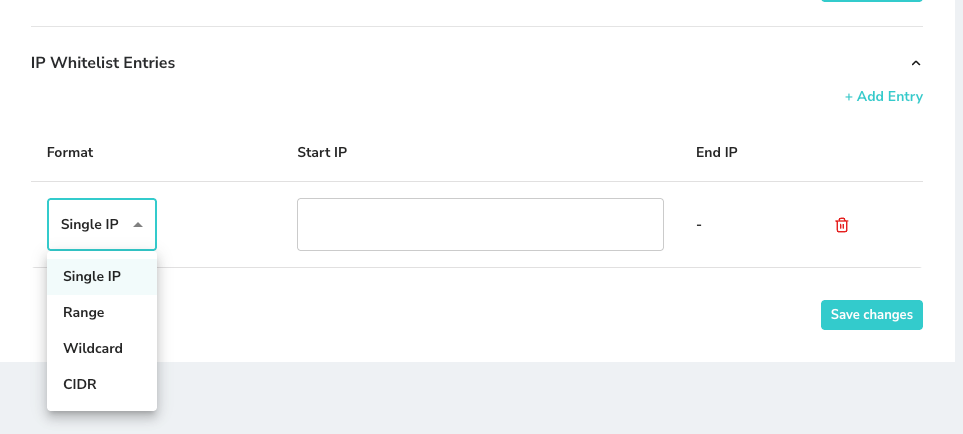
- Restrict access to your organization’s resources to specific IP addresses.
- You can manage whitelist entries with the following formats:
- Single IP: Allow a specific individual IP address (e.g.,
192.168.1.1). - Range: Allow a sequential range of IP addresses defined by a start and end IP.
- Wildcard: Allow patterns of IP addresses (e.g.,
192.168.1.*). - CIDR: Allow a subnet of IP addresses using CIDR notation (e.g.,
192.168.1.0/24).
- Single IP: Allow a specific individual IP address (e.g.,
Studio
- Enable or disable access to the GIDR Studio for creating workflows.
Sandbox Team
- Enable or disable Sandbox Team.