

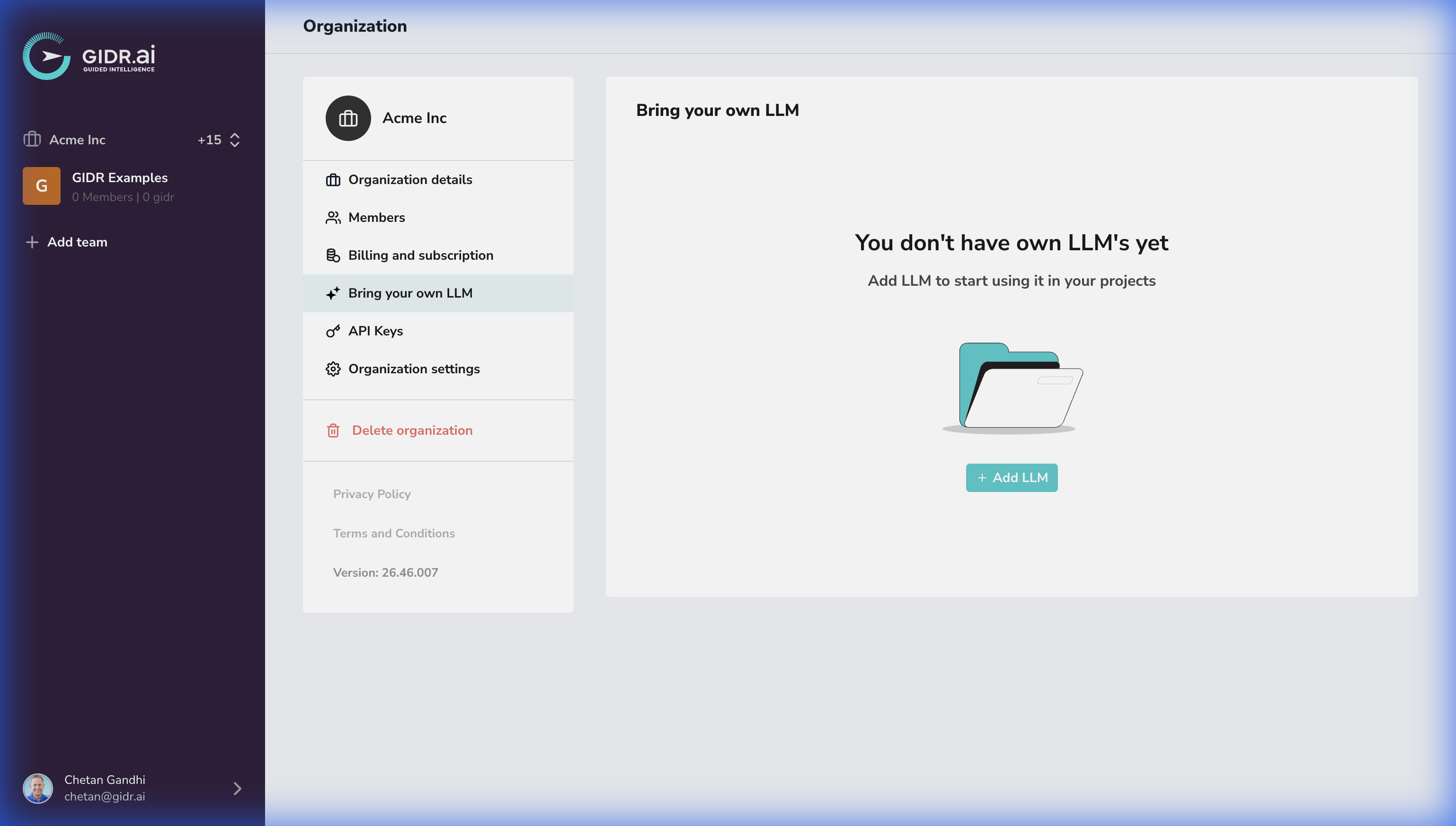
Supported Providers
You can configure API keys for:- OpenAI
- Azure OpenAI
- Anthropic
- Gemini
OpenAI
To add OpenAI as a provider, you will need to provide your OpenAI endpoint details.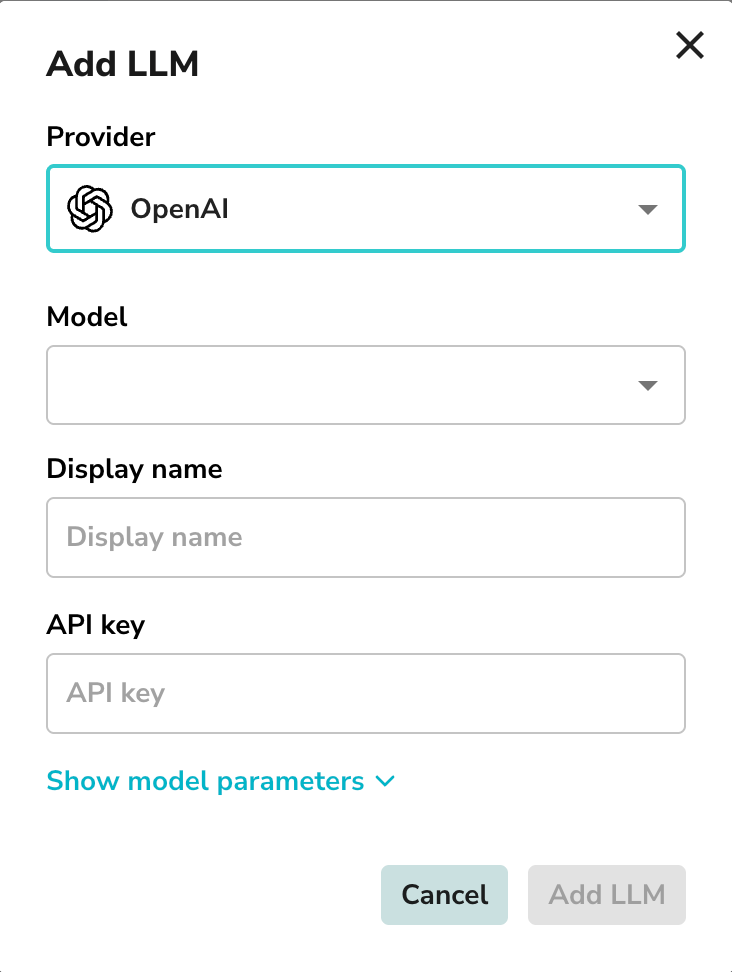
- Provider: Select OpenAI.
- Model: Select a specific model if required.
- Display name: Enter a name to identify this configuration.
- API key: Enter your valid OpenAI API key.
- Temperature: Adjust the temperature for the model.
- Max tokens: Set the maximum number of tokens for the model.
- Vision capabilities: Enable vision capabilities if required.
- Audio capabilities: Enable audio capabilities if required.
Azure OpenAI
For Azure OpenAI, you need to provide Azure OpenAI endpoint details.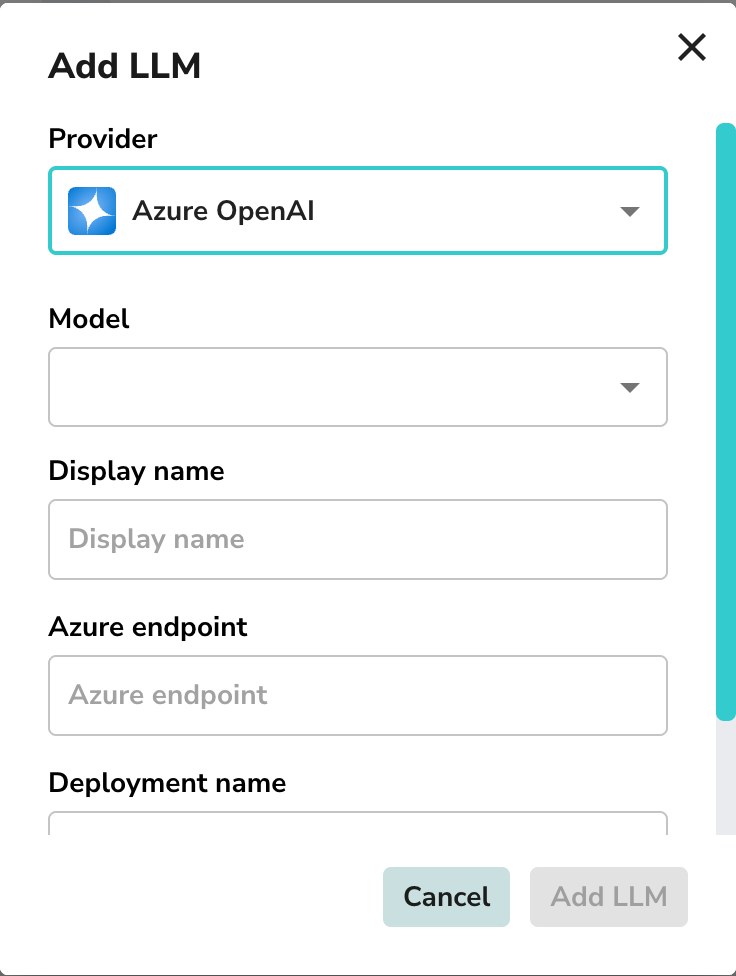
- Provider: Select Azure OpenAI.
- Model: Select the model you wish to use.
- Display name: Enter a name for this deployment.
- Azure endpoint: Enter your Azure OpenAI endpoint URL.
- Deployment name: Enter the specific deployment name from your Azure portal.
- API version: Select the API version for the model.
- API key: Enter your valid Azure OpenAI API key.
- Temperature: Adjust the temperature for the model.
- Max tokens: Set the maximum number of tokens for the model.
- Vision capabilities: Enable vision capabilities if required.
- Audio capabilities: Enable audio capabilities if required.
Anthropic
To add Anthropic as a provider, you will need to provide your Anthropic details.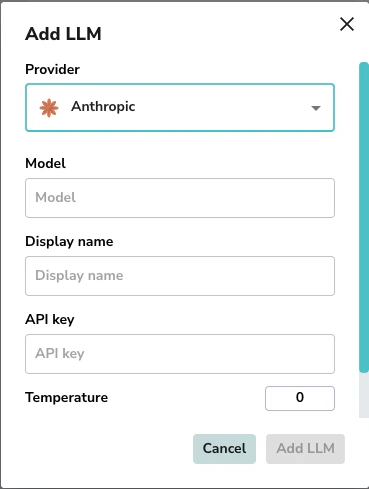
- Provider: Select Anthropic.
- Model: Select the model you wish to use.
- Display name: Enter a name for this configuration.
- API key: Enter your valid Anthropic API key.
- Temperature: Adjust the temperature for the model (default is 0).
- Max tokens: Set the maximum number of tokens for the model (default is 32000).
- Vision capabilities: Enable vision capabilities if required.
- Audio capabilities: Enable audio capabilities if required.
Gemini
To add Gemini as a provider, you will need to provide your Gemini details.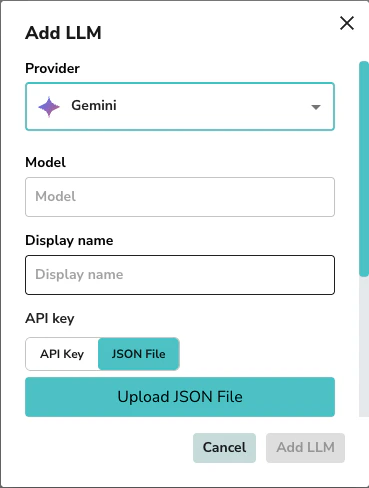
- Provider: Select Gemini.
- Model: Select the model you wish to use.
- Display name: Enter a name for this configuration.
- API key or JSON File: Upload your Google service account credentials JSON file or use an API Key.
- Project: Enter your Google Cloud Project ID (e.g.
my-gcp-project). - Location: Enter your Google Cloud Location (e.g.
us-central1). - Temperature: Adjust the temperature for the model (default is 0).
- Max tokens: Set the maximum number of tokens for the model (default is 32000).
- Vision capabilities: Enable vision capabilities if required.
- Audio capabilities: Enable audio capabilities if required.