

Typical Usage
The ReAct node is the core of agentic workflows, enabling the AI to autonomously determine which tools to use to achieve a goal.Example Configuration
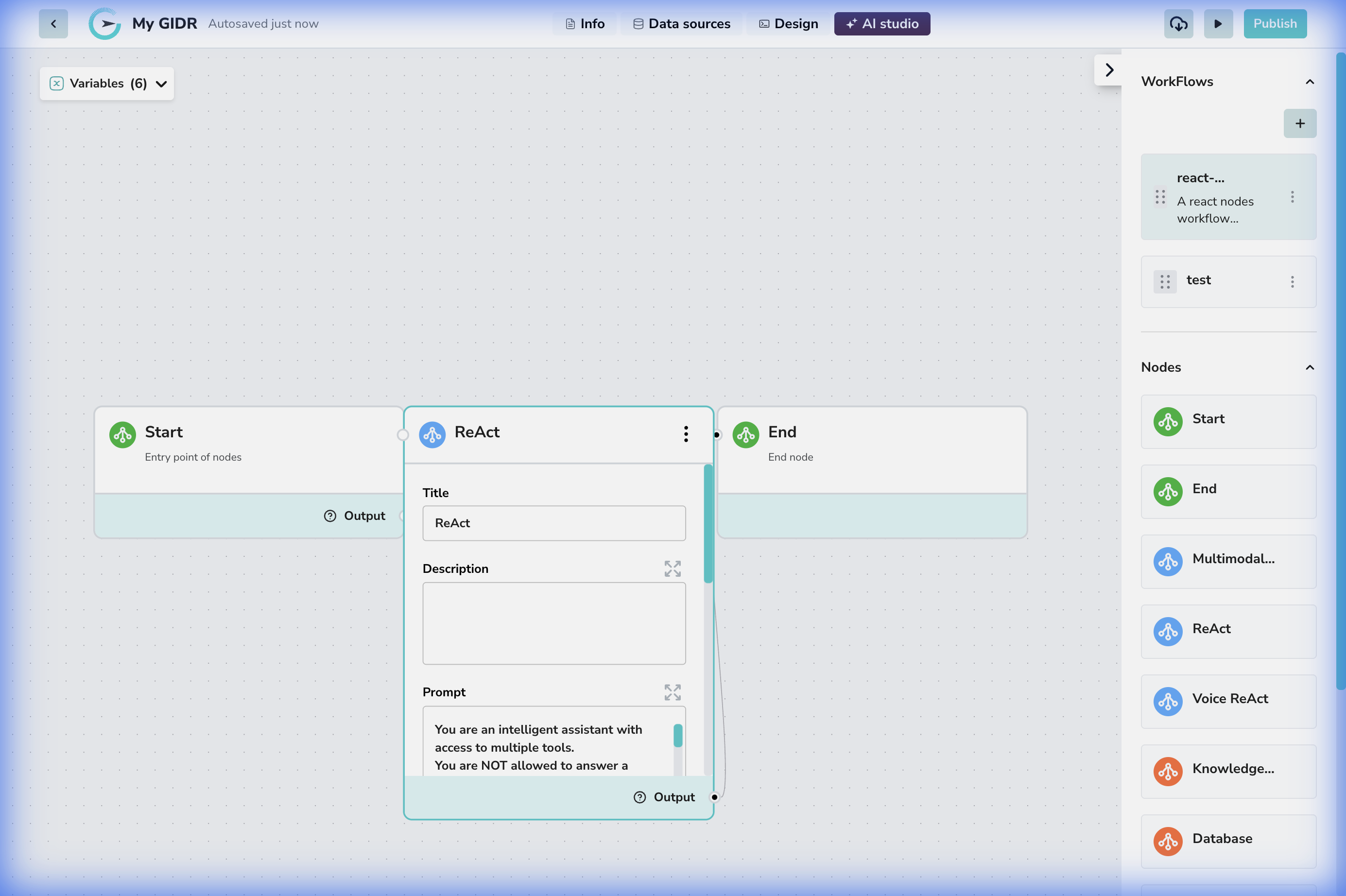
- Connection: The node sits between a ‘Start’ triggering event and an ‘End’ output.
- Tool Access: Crucially, this node can be configured with access to various tools (Search, Database, API, etc.) which it can call during its execution loop.
Configuration Details
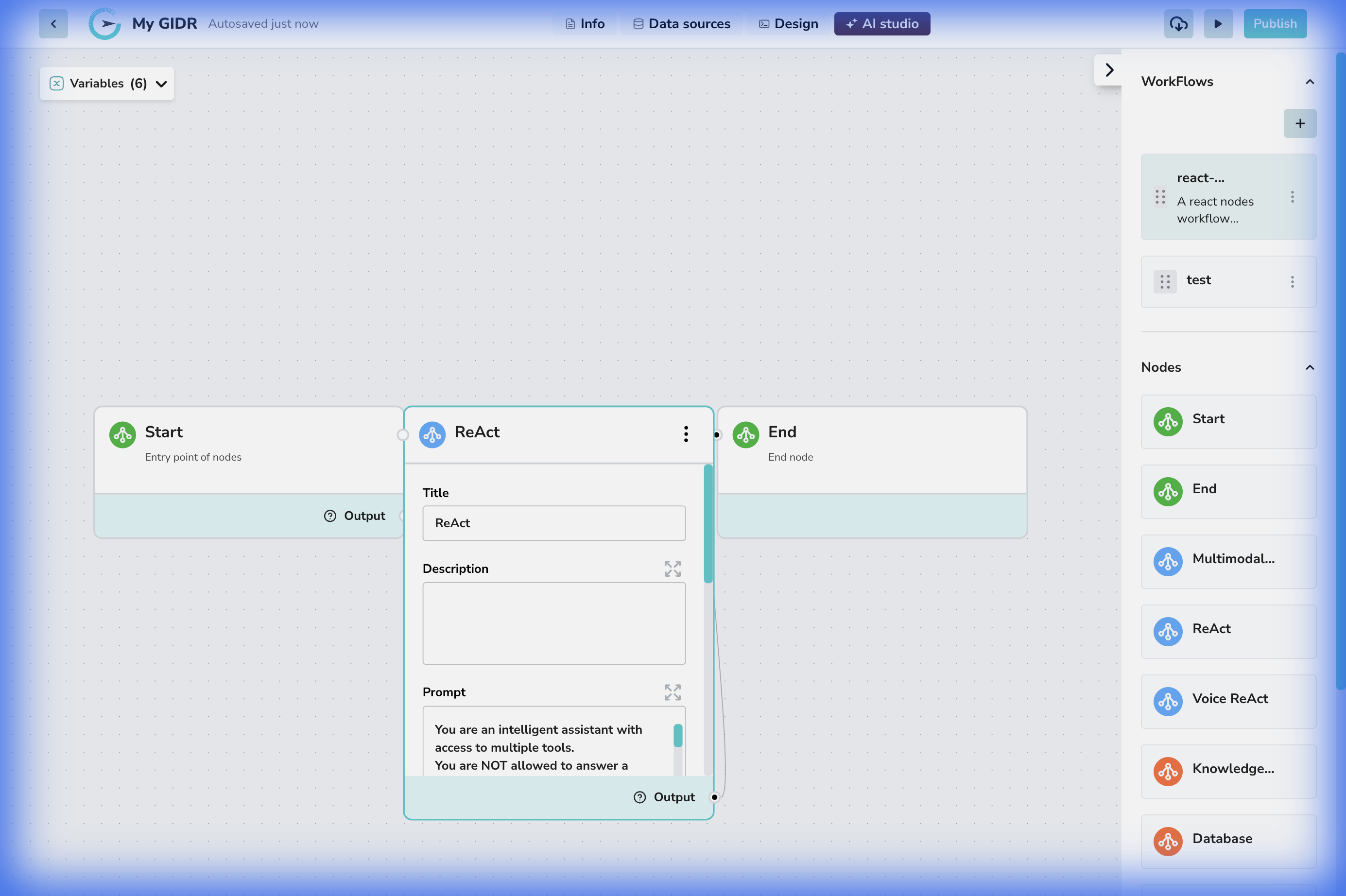
Core Settings
- Title: A descriptive name for the node (e.g., “Customer Service Agent”).
- Description: Documentation of the node’s purpose.
- Prompt: The system instruction that guides the agent’s behavior and personality (e.g., “You are a helpful assistant…”).
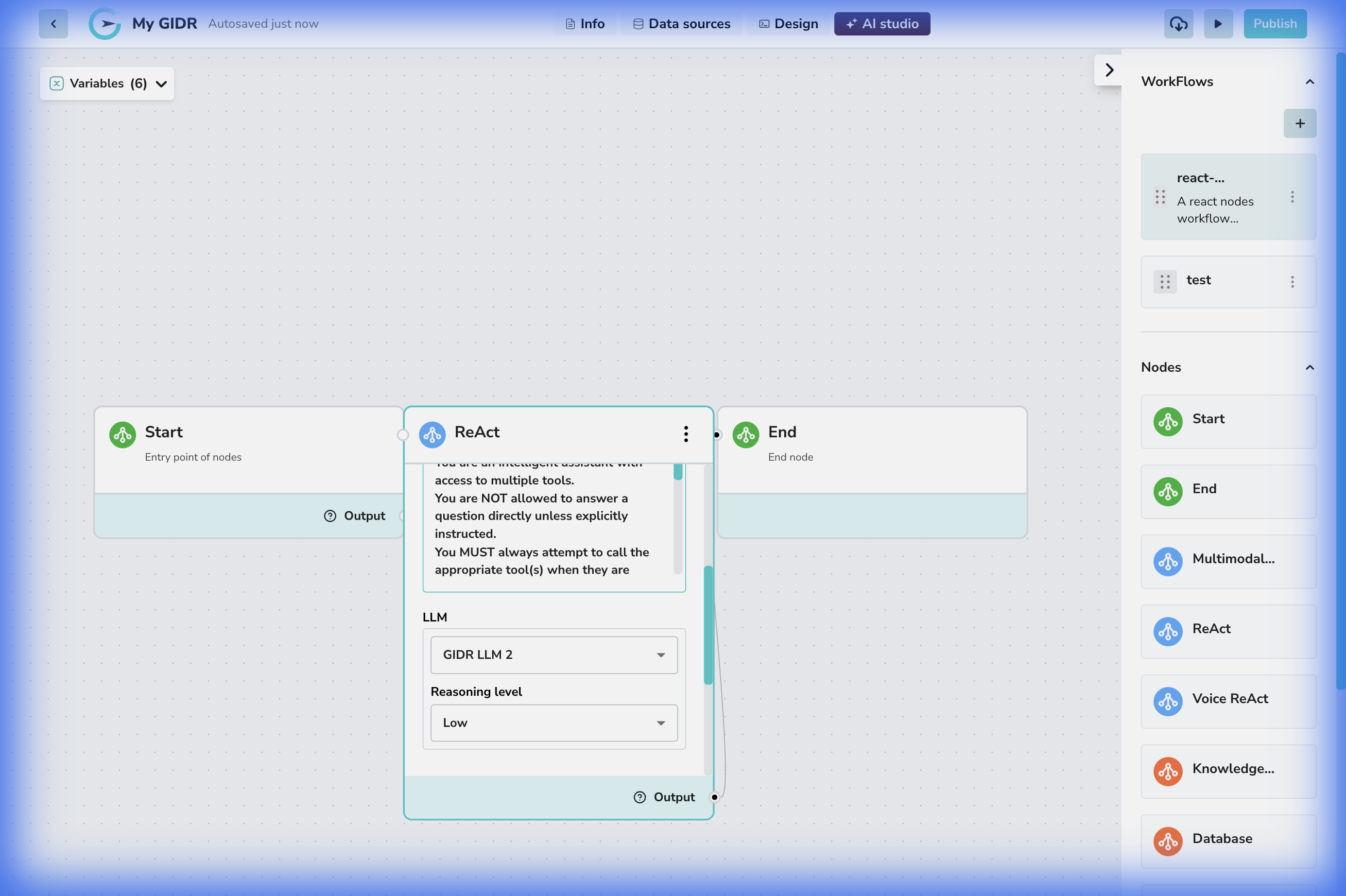
Model & Reasoning
- LLM: The language model driving the reasoning (e.g., GIDR LLM 2).
- Reasoning level: The depth of thought process to apply.
- Max iterations: (If applicable to your version) Controls the maximum number of thought-action loops the agent can perform.
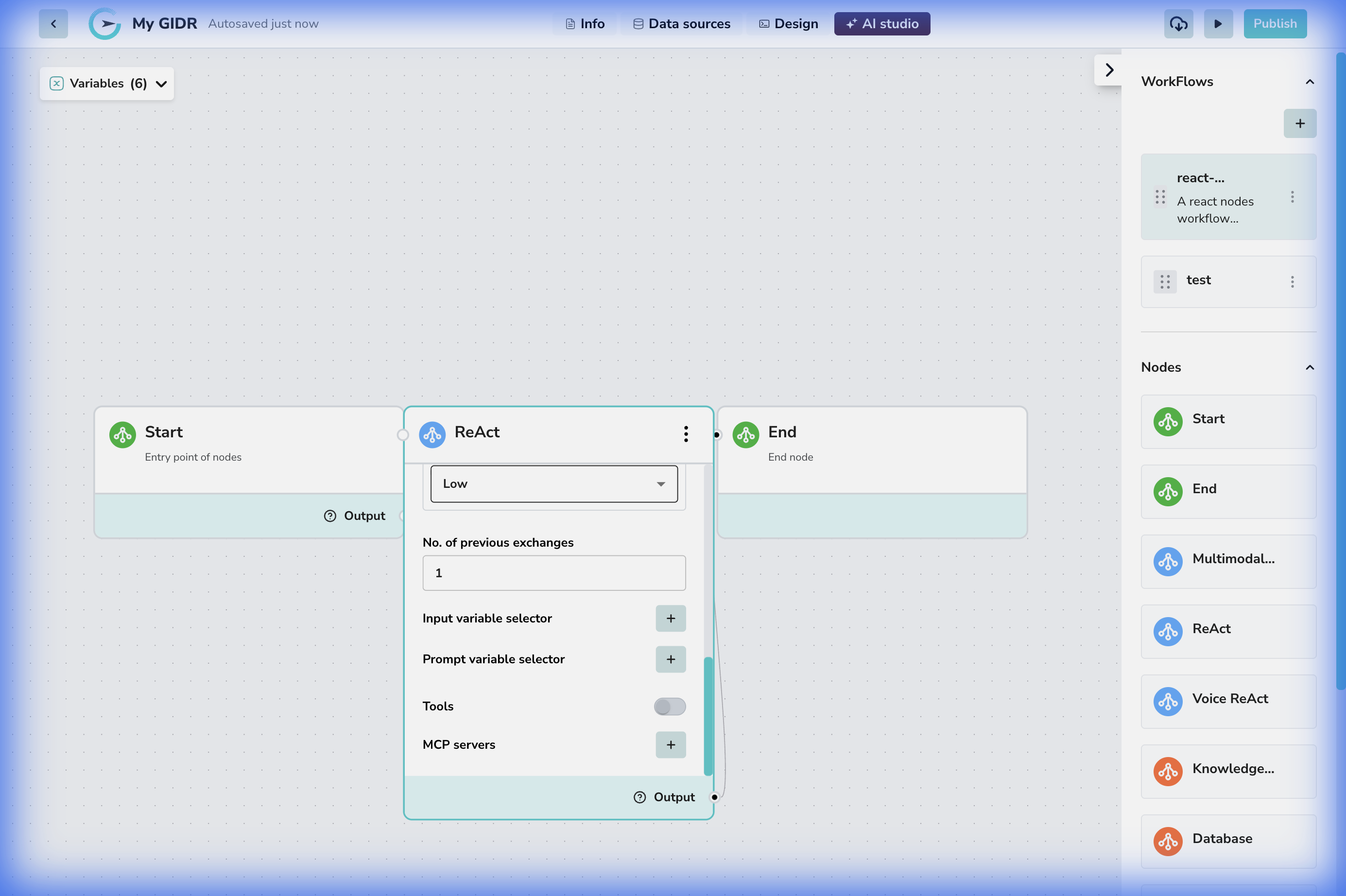
Tools & Advanced Options
- No. of previous exchanges: Context window measurement.
- Tools: A toggle or selector to enable specific tools this agent can use (e.g., Web Search, Calculator).
- MCP Servers: Connect to Model Context Protocol servers to extend capabilities.
-
Users must configure MCP Servers by providing:
- Server URL
- Auth Header
- Auth Value
-
MCP Servers can be configured as:
- Internal (GIDR) MCP Server
- Auth Header must be
x-api-key - Auth Value must be the GIDR API Key
- Auth Header must be
- External MCP Server
- Auth Header and Auth Value are Optional and should be provided according to the external server’s authentication requirements.
- Internal (GIDR) MCP Server
-
Variable Selectors:
- Input: Bind data variables to the agent’s context.
- Prompt: Inject dynamic values into the system prompt.