

Overview
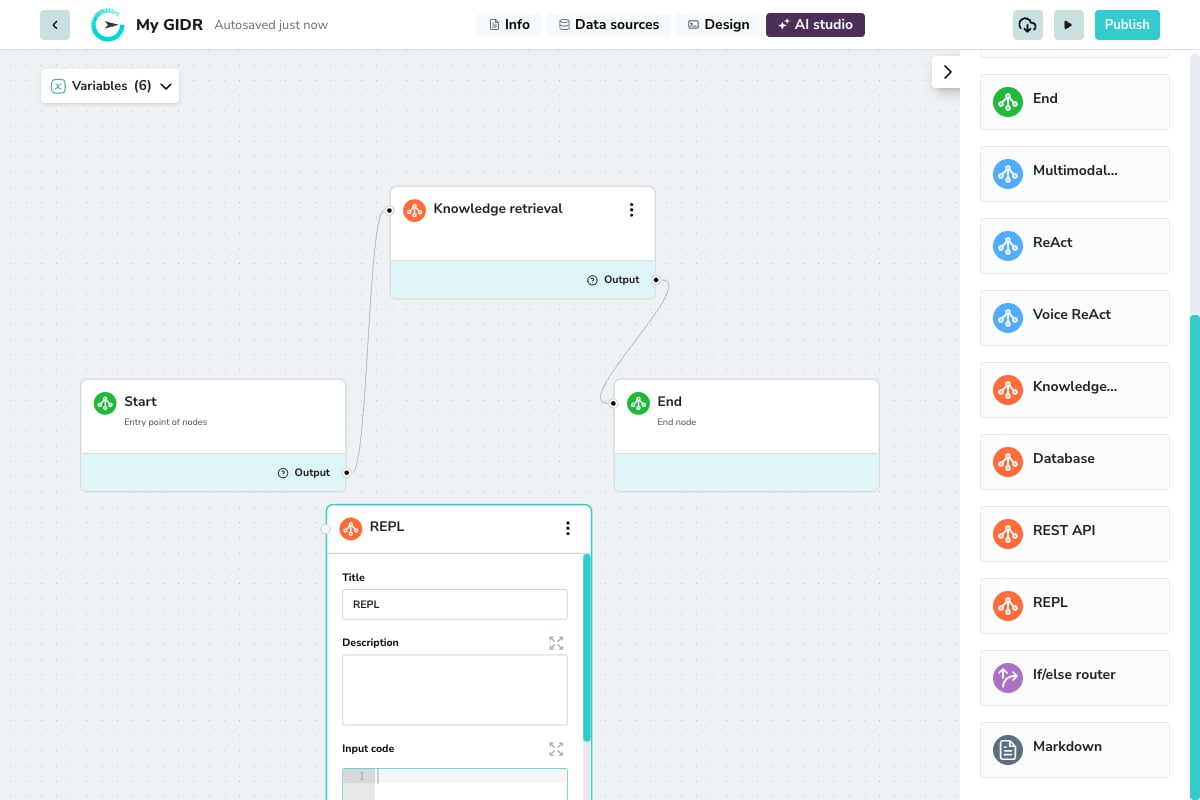
Use the REPL node when you need to:- Transform or format data between nodes
- Perform mathematical calculations
- Parse or manipulate strings
- Implement custom business logic
- Process API responses into structured formats
Configuration
Basic Settings
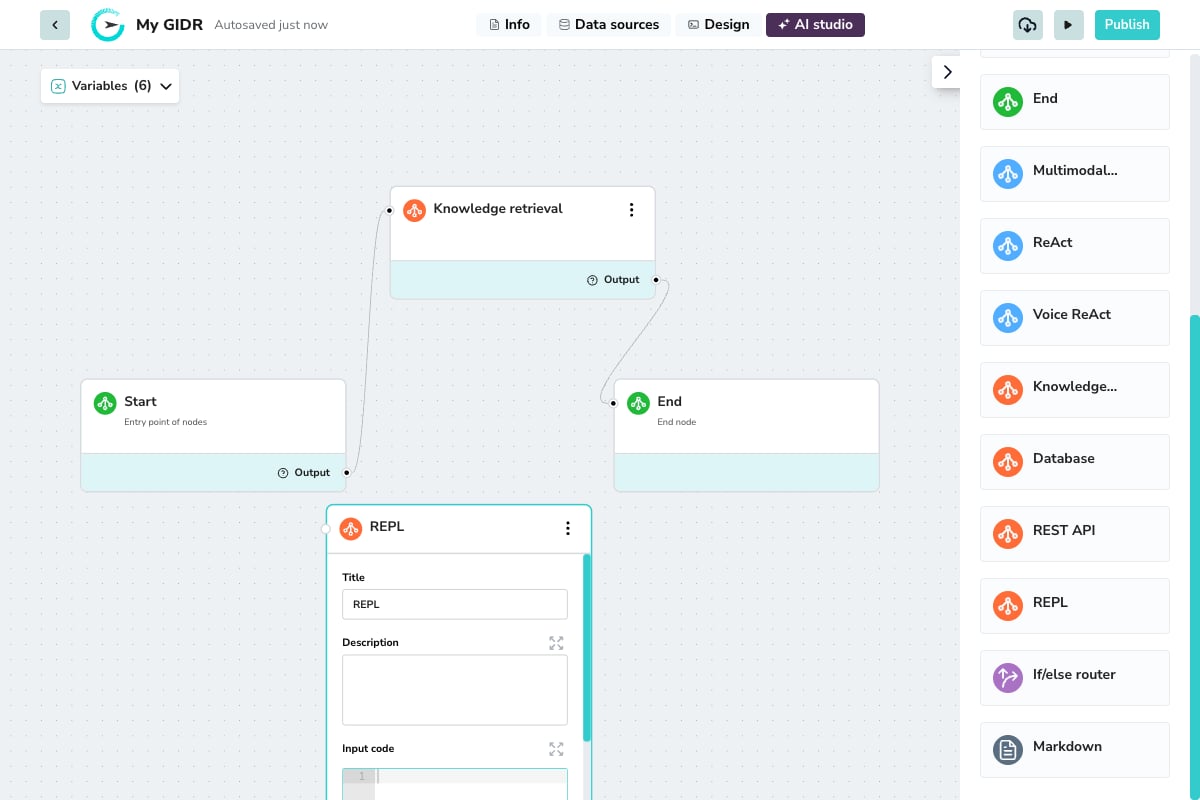
- Title: A descriptive name for the node (e.g., “Calculate Total”, “Format Response”).
- Description: Document what your code does for future reference.
Runtime Environment
The REPL node runs in a secure, sandboxed environment. Below are the supported functions, libraries, and specific limitations.Core Requirements
- Mandatory Main Function: Your code must include a
def main():function. - Guarded Iteration:
forandwhileloops are supported but monitored to prevent infinite execution.
Input Code
The code editor is where you write your Python script. Your code has access to:- Workflow variables: Use
{{variable_name}}syntax to access variables from previous nodes. - Built-in functions: Standard Python libraries for data processing.
Input & Output
- Input variable selector: Map specific variables from previous nodes to use in your code.
- Output: The node passes the result of your code execution to downstream nodes via the Output handle.
Built-in Functions
You can use standard Python built-ins for data manipulation:- Collection Helpers:
list,dict,tuple,set,enumerate,reversed - Math & Logic:
max,min,sum,abs,all,any - Utilities:
type
Supported Libraries
The following standard libraries are pre-installed and safe to import:- Data & Formats:
json,xml,base64,pandas - Networking:
requests - Time & Dates:
datetime,time - Utilities:
re(Regex),hashlib,hmac,secrets,typing - Database:
sqlalchemy,sqlalchemy.orm,psycopg2
GCS Helper Functions
Use the built-in Google Cloud Storage (GCS) helper functions to read, write, list, and delete files in the storage bucket for the current GIDR. They are injected into the sandbox at runtime, so no imports are required. Each GIDR has its own isolated Google Cloud Storage bucket. Paths are relative to that GIDR’s root (gidr/files/{gidr_id}/), and you can write files to subfolders, such as reports/2026/july.csv.
Files written by one GIDR cannot be accessed by another GIDR. Path traversal, such as ../other-gidr/file.txt, is blocked.
gidr_write_gcs
Upload content to a file in GCS. Creates the file if it does not exist and overwrites it if it does.
Returns:
{"status": 200, "path": "reports/july.csv"}
Raises: ValueError for an empty or invalid path; RuntimeError if the GCS upload fails.
gidr_read_gcs
Download the content of a file from GCS.
Returns: The file content as a string.
Raises:
ValueError for an empty or invalid path; RuntimeError (404) if the file does not exist.
gidr_delete_gcs
Delete a file from GCS.
Returns:
{"status": 204, "path": "reports/july.csv"}
Raises: ValueError for an empty or invalid path; RuntimeError if the GCS deletion fails.
gidr_list_gcs
List all files under a path. By default, this lists every file in the GIDR root folder.
Returns: A list of file paths relative to the GIDR root.
Database (DB) Utility Functions
Use these built-in functions to access the GIDR’s database instance and create tables. Connection details are injected at runtime, so no database configuration is required.gidr_get_db
Yields a SQLAlchemy Session connected to the GIDR’s database instance. The session is closed automatically when its generator is exhausted.
Always call
db_gen.close() in a finally block to return the connection to the pool. Do not call session.close() directly; let the generator handle teardown.The session uses autocommit=False, so call session.commit() explicitly after writes. SQLAlchemy’s text() is pre-imported in the global scope and does not need to be imported.create_table
Creates a table in the GIDR’s database instance and registers it with the SQL Agent so it can be queried in later workflow steps.
Every table receives an auto-generated row_id BIGINT identity column. You do not need to define it.
Supported SQL types
Example: Basic table
What happens internally
What happens internally
create_table creates the table through the session returned by gidr_get_db, commits the DDL, serializes the schema as JSON, and inserts a record into ai_services.public.sql_agent_user_tables_map. This lets the SQL Agent discover and query the new table in subsequent workflow steps.Limitations
Limitations
- Creating a table with a name that already exists raises an error. Use a unique name or drop the existing table first.
- Column types must be valid SQL type strings, such as
TEXT, notstring. - If you provide
primary_key, that column must also appear incolumns. - New tables start with zero rows.
Security Restrictions
To ensure platform stability, the following are blocked:- File System: No file I/O operations (e.g.,
open()). - System Access: No OS/system functions or arbitrary imports outside the allowlist.