

Typical Usage
This node is the centerpiece of voice-enabled workflows, often used for customer service bots, interactive assistants, or accessibility tools.Example Configuration
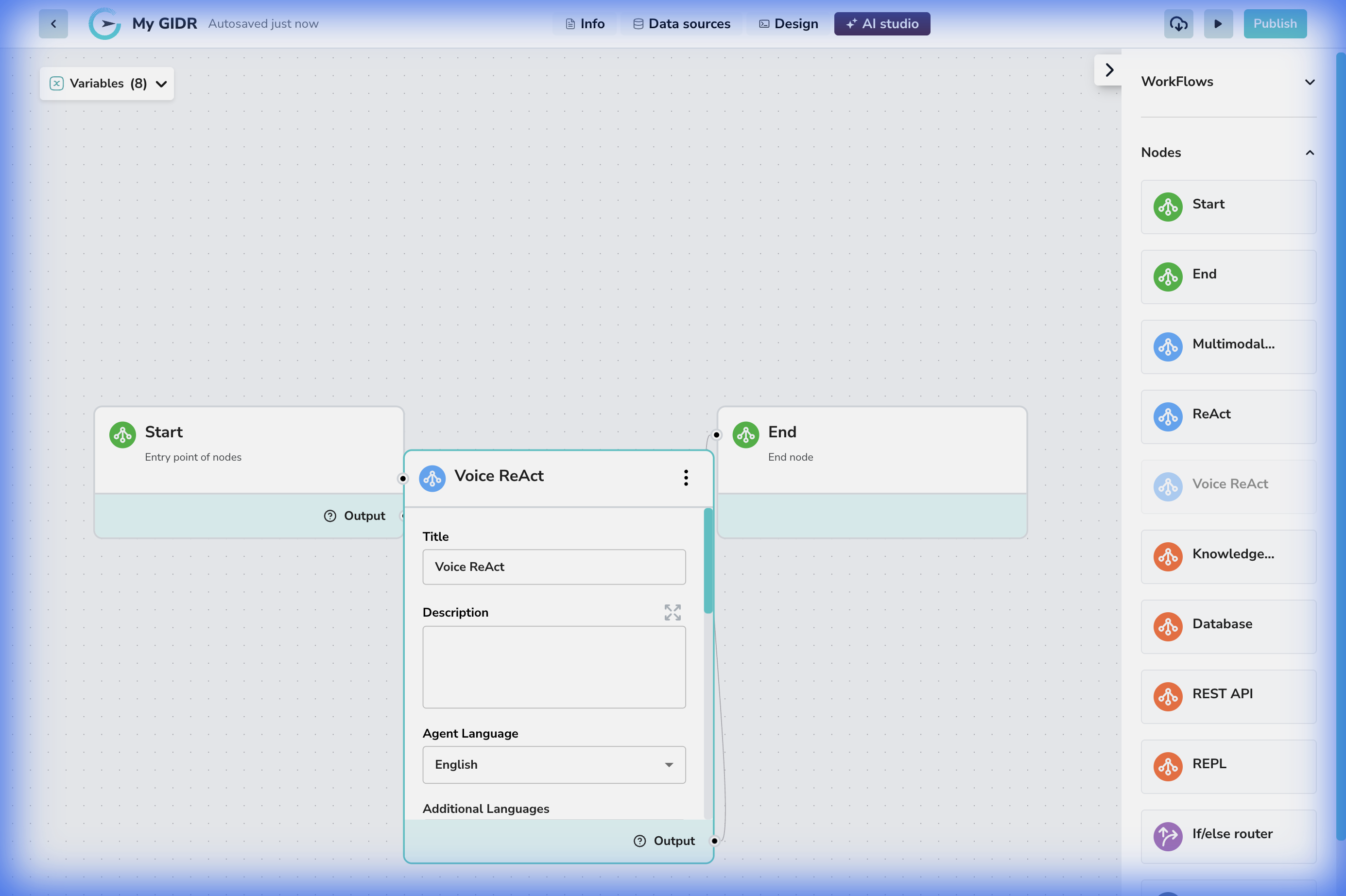
- Connection: Connected linearly between a Start and End node.
- Voice Interaction: The node handles the complexity of speech-to-text (STT) and text-to-speech (TTS) automatically.
Configuration Details
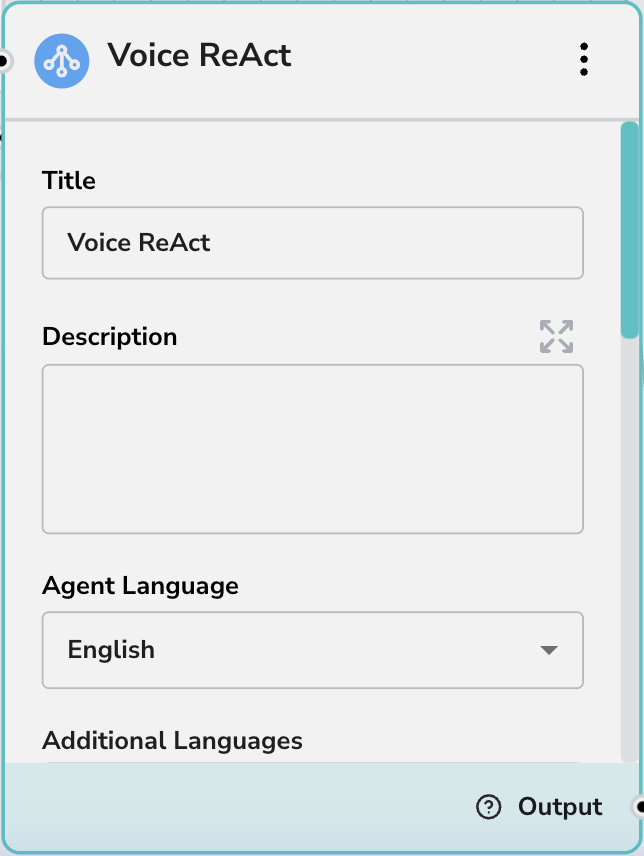
Core Settings
- Title: Give your voice agent a persona-based name (e.g., “Support Voice Bot”).
- Description: Internal notes on the agent’s role.
- Agent Language: The primary language the agent will understand and speak (e.g., “English”).
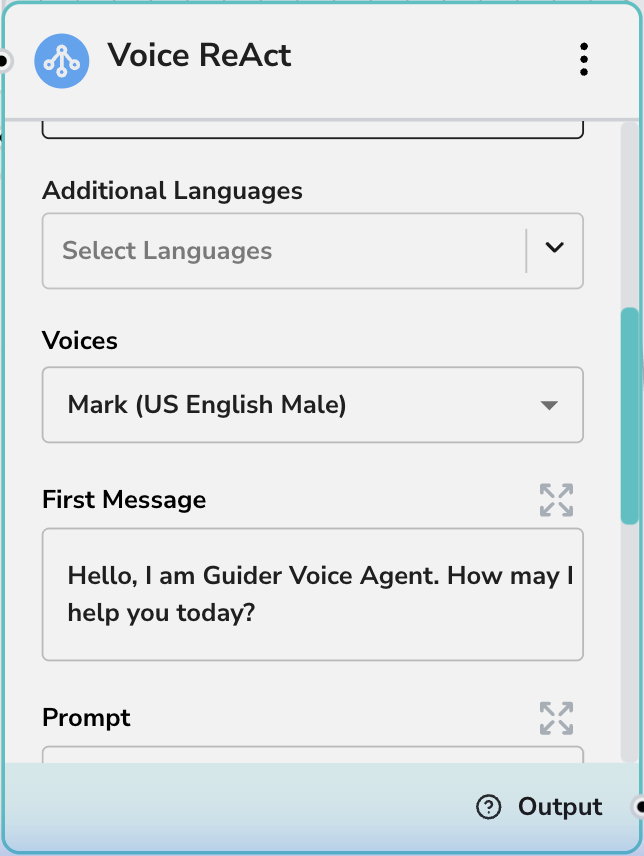
Voice & Personality
- Additional Languages: Select other languages the agent should be able to process if supporting a multilingual user base.
- Voices: Choose the specific voice model (e.g., “Gemini - Mark (US English Male)”) that best fits your brand or use case.
- First Message: The opening line the agent will speak when the session starts (e.g., “Hello, I am GIDR Voice Agent. How may I help you today?”).
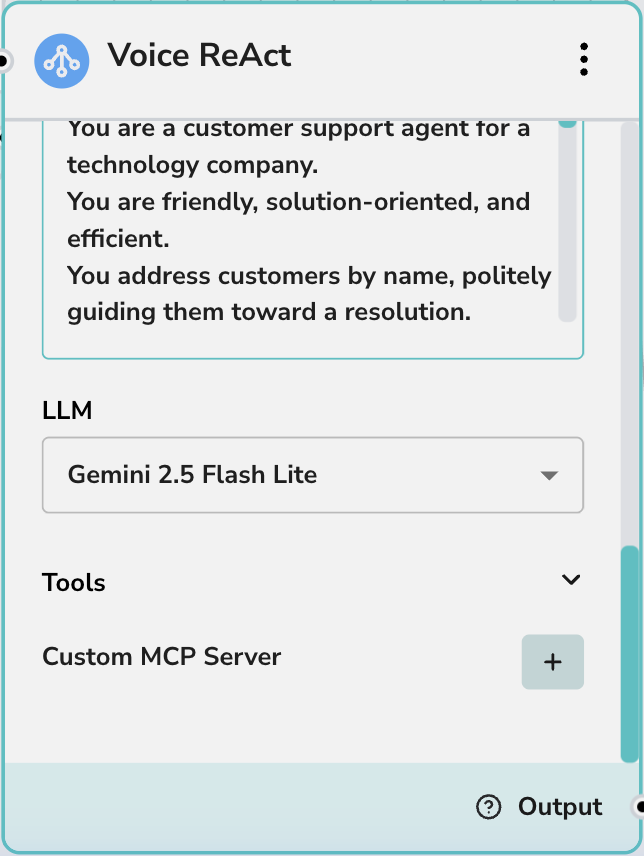
Prompts & Tools
- Prompt: The system instruction defining the agent’s behavior, knowledge boundaries, and personality traits.
- LLM: The underlying model powering the conversation (e.g., Gemini 2.5 Flash Lite).
- Tools: Enable specific tools this voice agent can call while talking to the user.
- Custom MCP Server: Extend the agent’s capabilities with custom Model Context Protocol servers.